- WhatsApp raises its minimum requirements and will leave millions of phones with older Android versions and iPhones without iOS 15.1 without support.
- The key dates in 2026 (January, February, April, and September) mark progressive cuts in app compatibility.
- The main reasons are security, stability, and the ability to integrate new advanced features into the platform.
- Backing up your data and planning your device change is essential to avoid losing chats or access to WhatsApp.
WhatsApp has issued a clear ultimatum to older Android phones (And also to a few older iPhones): either they have a minimum version of the operating system, or they'll lose access to the most popular messaging app on the planet. We're not talking about a simple warning, but specific deadlines after which the app will no longer open on those devices, with no magic tricks or last-minute exceptions.
Although it may sound exaggerated, The change will affect millions of phones worldwideincluding hundreds of thousands in Spain and Latin America, many of which are still used as a primary or secondary mobile phone at home. If your Android or iPhone is a few years old, it's a good idea to double-check the system version And be prepared, because there are days marked in red on the calendar: January 1st, February 1st, April 1st, and also a major cut in September 2026.
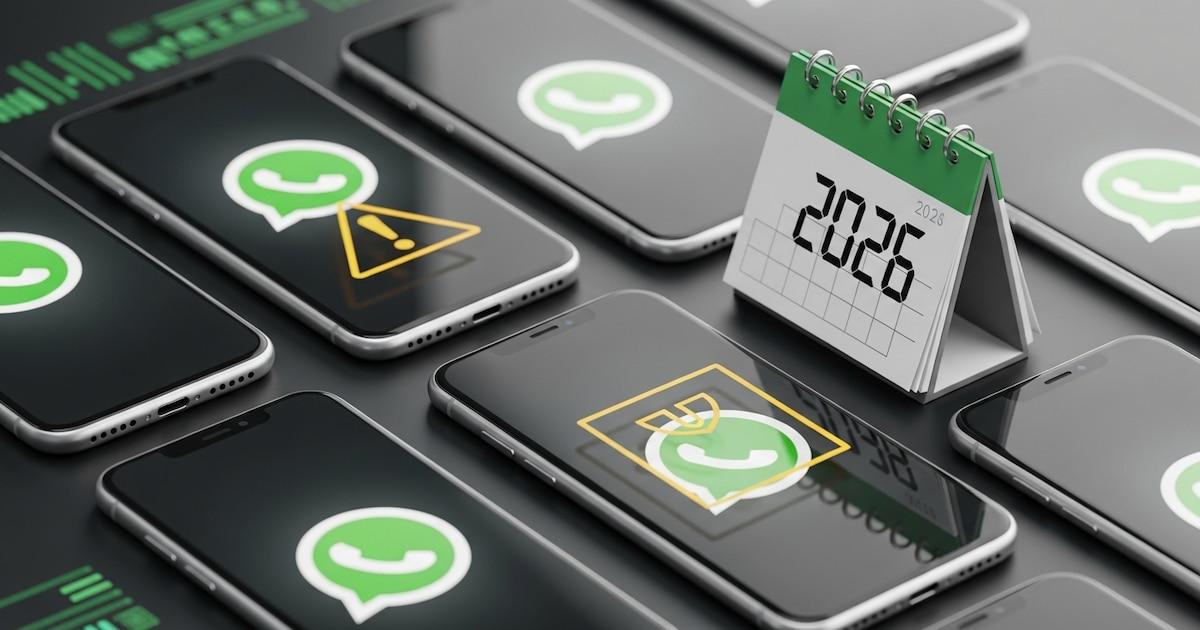
WhatsApp's ultimatum to older Android devices
According to the information gathered on the app's own help page, Meta has decided to raise the minimum bar for AndroidFor years, the requirement had been Android 5.0, but a jump has now been confirmed: the minimum will be Android 6.0 to continue accessing the application, with a major cut-off planned for 2026 September.
The movement is not improvised. WhatsApp raised the requirement from Android 4.xa to Android 5 in October 2023And now, three years later, they're repeating the same move with another API level. Starting in September 2026, all phones running versions below Android 6.0 will see the app stop working, and, most importantly, there will be no further updates available from Google Play to fix the problem.
Translated into figures, Android versions 5.0 and 5.1 represent approximately 0,4% of the active Android installation. According to data from the Google Play Console, it may seem like a small number, but with an estimated 3.900 billion Android devices worldwide, the real impact is "only" about 15 million phones that will lose WhatsApp. Not all of these are exclusive users, as many devices are used as secondary or backup phones, but the impact is still significant.
Even if the percentage is small, The change demonstrates the company's clear policy.We will not maintain indefinite support for outdated systems. Most users with recent phones won't need to do anything; if your smartphone already opens WhatsApp without problems and runs at least Android 6, you'll continue using the app normally after that date.
The problem arises for those who still have a device with Android 5.0 or 5.1 as their main device or for family members. In these cases, the ultimatum is literal: you'll have to change your phone or ROM. If you want to continue using the application, new downloads will no longer be installed and older versions will be blocked.
Key dates: January, February, April and September 2026

In addition to the big leap to Android 6 and the more technical API changes, WhatsApp has set several very specific cut-off dates in 2026 to stop working on mobile phones with operating systems considered obsolete.
The first major date marked is the January 1, 2026From that day onwards, in some markets and according to the information gathered, Only mobile phones with Android 6.0 or higher and iPhones with iOS 16 or later will be able to use WhatsAppDevices that remain on Android 5.0, 5.1, or iOS 15.1/15.x will gradually lose compatibility, although other official documents may maintain the Android 5.0 and iOS 15.1 limits for a while. The underlying idea is clear: to push everyone towards modern operating system versions.
The second important appointment is the February 1th 2026For many users, this date felt like a sudden blackout: WhatsApp stopped opening on all Android devices below version 5.0 and on iPhones unable to reach iOS 15.1. That day, historic models such as the Samsung Galaxy S3, some LG Optimus or the first generation Motorola Moto E and Moto G were completely taken out of service, showing error messages or directly blocking access.
Then comes the April 1th 2026A new outage will primarily affect hundreds of thousands of users in Spain. From that date, The app will require at least Android 5.0 on Android phones and iOS 15.1 on iPhones to continue functioning. Anything below those versions will be blocked without further notice within the app itself, beyond the generic messages that appear in the preceding days.
Finally, In September 2026, the next leap comes into play: Android 6.0The roadmap being drawn up is that, first, support for Android 4.x and other older versions is eliminated; then, Android 5 is consolidated as a minimum; and, shortly after, WhatsApp ends up requiring Android 6 to guarantee a more modern and homogeneous playing field in terms of technical and security.
Why WhatsApp is abandoning these phones: security and new features
It may seem that WhatsApp "forces" you to buy a new phone, but The company justifies these cuts for three main reasons: security, stability, and compatibility with new features.Older operating systems stop receiving patches from Google, Apple, or manufacturers, and that turns every chat into a potential security hole.
Meta explains that, without system updates, It cannot guarantee end-to-end encryption or platform integrity.Every unpatched phone is a weak point for phishing attacks, malware, account theft, or identity theft. Raising the minimum requirements reduces the number of vulnerable devices and improves the level of protection.
There is also a factor of technical evolution. WhatsApp's new features—such as interoperability mandated by European regulations, AI tools, and advanced privacy enhancements—require APIs and resources that older systems do not offer.Maintaining scaled-down versions for those phones limits development and increases maintenance costs, something Meta avoids by restricting support.
The company itself admits that Periodically review actual usage statistics and manufacturer supportModels with very few active users, no recent security patches, or very limited hardware are being dropped from the list of supported devices. This is a recurring process that repeats itself roughly every one or two years, and 2026 will be a particularly tough year for these cuts.
Ultimately, the decision is a complicated balancing act: WhatsApp prefers to lose a minority of users with outdated mobile phones rather than compromise the security of its more than 2.000 billion active accounts.From the perspective of the affected user, it's a huge nuisance, but from the platform's perspective, it's almost a technical obligation.
Official minimum requirements for WhatsApp as of 2026
The most recent documentation and collected reports converge on some clear guiding principles. To receive official WhatsApp support from 2026 onwards, your mobile device must meet at least these system versions.:
- Android: Android OS 5.0 Lollipop or later as a base requirement, with a progressive jump to Android 6.0 around September 2026.
- iPhone: iOS 15.1 or higher is the minimum accepted version, with some sources already pointing to iOS 16 as the safest reference for the future.
This implies that Any phone that cannot be updated to those versions will be unable to install or run WhatsAppThey will stop receiving app updates, will not be able to activate new features, and eventually, all access to the service will be blocked.
In Apple's case, it means that The iPhone 6, 6 Plus, 5s, 5c and earlier models are already slated to lose compatibilityThese devices get stuck on iOS versions that don't meet the minimum requirements, so there's no official update that can save them.
Something similar happens on Android, but in a more fragmented way. All phones that remain below Android 5.0 initially and Android 6.0 later will be removed from the list of compatible devices.In practice, this mainly affects devices released before 2014, which have not received official patches for years and suffer from significant hardware limitations.
WhatsApp clarifies that, before completely cutting off access, It sends notifications within the application itself, warning that the operating system will no longer be supported.During this time, the recommendation is clear: try to update your device and, if that's not possible, start planning a new phone and make a good backup.
List of iPhones that will lose WhatsApp
In the Apple ecosystem, the list of affected models is fairly well defined, because It depends directly on what version of iOS each iPhone can be updated to.Anyone who doesn't reach iOS 15.1 will have to say goodbye to the app.
Among the main iPhones that will lose WhatsApp compatibility are:
- iPhone 6
- 6 iPhone Plus
- iPhone 5s
- iPhone 5c
- iPhone 5 and previous models (4s, 4, etc.)
These devices haven't received new versions of iOS for years and They cannot reach iOS 15.1This is where Meta currently places the barrier. Initially, WhatsApp will simply stop updating on these devices; later, the versions they have installed will stop connecting to the service.
Anyone who still uses one of these iPhones as their main or secondary phone will find, sooner or later, that The app stops opening or displays a message indicating that an update is necessary.Since there will be no possible system update, the only solution will be to migrate to a newer model or use alternatives such as WhatsApp Web on another device.
The experts' recommendation is clear: If your iPhone is already five or six years old and is not able to install the latest available version of iOSIt's time to start thinking about a replacement. Not just because of WhatsApp, but because the rest of the major apps will follow suit by cutting support for older systems.
Older Android devices that lose compatibility: indicative list
On Android the landscape is more complex due to the enormous variety of brands and models, but some have already been identified Several specific phones that will lose WhatsApp in 2026In many cases, this is because they don't go beyond Android 4.x or 5.0.
Among the most mentioned devices that They will be left without the app are:
- Samsung: Galaxy S3, Galaxy S4, Galaxy S4 mini, Galaxy S5, Galaxy Ace 4, Galaxy J1, Note 2, Core, Trend, J2.
- LG: Optimus L3, Optimus L3 II, L5, L7, F5 and dual variants, Optimus L3 II and others of the same family.
- Motorola: First generation Moto G and Moto E (the benchmark models in the low-mid range of 2013-2014).
- SonyXperia M, Xperia Z2, Xperia Z3 and others from that era that do not exceed Android 4.4.
- Huawei: Ascend Mate, Ascend G615, P1 LTE, G740, D2 and similar first-generation models from the brand.
- OthersLenovo A660 and Golden Warrior Note 8, THL 2015, Alcatel OneTouch Pop 2, Zopo ZP720 Focus, Sony Xperia E4g, and several Android devices released before 2014.
In all these cases, The common denominator is that they cannot be officially updated to Android 5.0 or higher, or they remain stuck on 5.x and don't reach Android 6. Hence, with the changes planned between now and 2026, they are clear candidates to be left without the app.
Many of these devices still work correctly for calls, SMS, or even some light apps, but They are stuck with hardware and software that no longer meets current security requirementsWhatsApp considers it too risky to continue allowing access through them.
If you have one of these mobile phones at home—for an elderly relative, as an emergency phone, or as a "work phone"—it's best to assume that His time with WhatsApp is numberedThe sensible thing to do is to prepare an alternative in advance and not wait until closing day to improvise.
How to know if your phone will survive the WhatsApp outage
Before you panic, the first thing to do is quickly check if your phone meets the requirements. Luckily, On both Android and iPhone, it's very easy to see the operating system version. that you have installed.
En AndroidThe general path (which may vary slightly depending on the customization layer) is:
- Settings → About phone → Android version.
If the number that appears is 5.0 or higherIn principle, you're safe on the April 1, 2026 cutoff date, although it's advisable to aim for Android 6.0 or higher to avoid being caught out in the next update. If you see 4.4 KitKat, 4.3 Jelly Bean or any lower numberYour device will lose access to WhatsApp during scheduled outages, and you won't be able to fix it with a simple update from Google Play.
En iPhoneThe path is:
- Settings → General → Information → Software version.
You need to see iOS 15.1 or laterIf the phone is stuck on iOS 12, iOS 13, or iOS 14 and doesn't offer the option to update to something newer, it means that the model is no longer supported by Apple and, therefore, It will be outside the WhatsApp compatibility range..
In both systems, in addition to checking the current version, it is recommended to check for pending updates: Settings → Software UpdateIn some borderline cases, a final update can extend the lifespan of a mobile phone with WhatsApp by a couple of years; it's also useful clear cache to free up space and improve performance.
What exactly happens when your mobile phone stops being compatible?
When a device loses compatibility, The process is usually gradual, but the end result is the same.: loss of access to the app and its functions.
The usual practice is that, first, WhatsApp stopped receiving updates on that phone.You'll see that the app remains installed, but it no longer updates from Google Play or the App Store. At the same time, minor errors may begin to appear: features that don't activate, file transfer failures, problems with certain types of messages, etc.
Later, when you open the application, it is very likely that A notification will appear indicating that you need to update WhatsApp to continue using it.The problem is that, when you try to do so, Google Play or the App Store will tell you that the new version is not compatible with your device.
At that point, we're not just talking about not being able to send new messages: You may also lose practical access to your chat history. If you don't make a backup before the final shutdown, photos, audio, shared documents, and old conversations may become inaccessible if the app no longer starts.
Therefore, Meta itself recommends a series of minimum steps: Back up your system to Google Drive or iCloud, and check for any available system updates. And if there isn't one, plan to switch to a compatible device before the deadline. Leaving it until the last minute is playing with fire.
Backups and migration: what you should do before the lockdown
If your mobile phone is blacklisted or does not meet the minimum system version, Your absolute priority should be protecting your chats and filesOnce the app stops opening, you will no longer be able to make a backup from that device.
The procedure is relatively simple:
En Android:
- Open WhatsApp → Settings → Chats → Backup.
- Choose Google Drive as destination and activate the copy (manual or automatic).
- Make sure it is completed correctly and that you are using the Google account that you will later use on the new mobile phone.
En iPhone:
- Open WhatsApp → Settings → Chats → Backup.
- Choose iCloud as storage and launch a copy now.
- Make sure your iPhone has enough storage space in iCloud, or upgrade your plan if needed.
Once the copy is created, You will be able to restore your conversations and files When installing WhatsApp on a new phone or one that is compatible, you'll only need to log in with the same phone number and the same Google or Apple account you used for the backup.
Besides copying, it's a good idea Notify your contacts that you are changing your number or device If that's going to be the case, even if you keep the same number, it's still a good idea to inform the most important groups to avoid confusion during the transition process.
WhatsApp Web and other workarounds: is there life beyond the old mobile phone?
For some users who will lose the app on their main mobile device, there is a partial alternative: Use WhatsApp Web or the desktop app from a computer or a modern tablet.
The official web version of WhatsApp allows Use the account from a browser such as Chrome, Firefox, Safari, or EdgeSimply go to web.whatsapp.com, scan the QR code from a compatible mobile device, and from there you can send messages, receive notifications, share files, and even make some calls from your computer.
The advantage is that The latest versions of WhatsApp Web can function fairly independently for several days.without needing the mobile phone to be constantly switched on or connected. This can be a lifesaver for those who mainly chat from home or the office and don't need to be so mobile.
The flip side is obvious: You won't have WhatsApp "in your pocket"If you go out without a compatible mobile phone, you'll be completely dependent on your connected computer or tablet. It's a useful temporary solution, but it doesn't fully replace the mobile experience.
Apart from this, some users resort to the so-called “APK method”: downloading older versions of WhatsApp in APK format from repositories like APK Mirror and install them on phones running Android 4.x. Although in some cases it might work for a few months, it's an option with serious risks: these versions don't have security patches, Meta can block access at any time, and You expose your personal data to known vulnerabilitiesIt is not, by any stretch of the imagination, a recommended solution in the medium term.
What options do you have if you can't change your mobile phone?
The big problem with these changes is that Not everyone can afford to buy a new mobile phone overnight.Many of the phones that will lose WhatsApp are in the hands of elderly people, users with limited resources, or workers who depend on that mobile phone for basic tasks.
If upgrading the system to a compatible version is not possible (and in most of these models it isn't), the real alternatives are few. You can try installing a custom ROM based on the latest Android versionHowever, this requires technical knowledge, unlocking the bootloader, assuming stability risks, and in many cases, there aren't even stable ROMs for those devices.
The other way is to look a simple, entry-level smartphonethat meets the minimum requirements and will maintain compatibility for several more years. These days, there are Android models for around €150-€250 that come with Android 11, 12, or higher, which is sufficient to keep WhatsApp supported for quite some time.
If, even so, you can't change devices, The option to use will remain other messaging services that they continue to support your operating systemThe problem is that this forces your contacts to adapt as well, and in practice, in countries like Spain or many in Latin America, WhatsApp is the de facto standard. Switching platforms isn't always socially viable.
The situation makes clear something that is sometimes hard to admit: Being tethered to a mobile phone that's over ten years old is making everyday digital life increasingly complicated.Not only through WhatsApp, but also through online banking, medical apps, electronic keys, and a long etcetera that will also be raising their minimum requirements.
This entire schedule of product cuts, the lists of affected models, and the backup recommendations show that Meta's strategy involves maintaining a safer and more modern ecosystem, even if that means leaving behind a minority of users.For those in that group, the best defense is to anticipate: check your system version right now, secure backups of your chats, and, if possible, plan to switch to a mobile phone with several years of support ahead, thus avoiding another WhatsApp "ultimatum" just around the corner.