- Discover the types of educational software and their advantages for children
- Analysis of essential apps and programs by subject and age
- Recommendations for free, open-source resources and learning platforms
- Tips for choosing and getting the most out of educational software
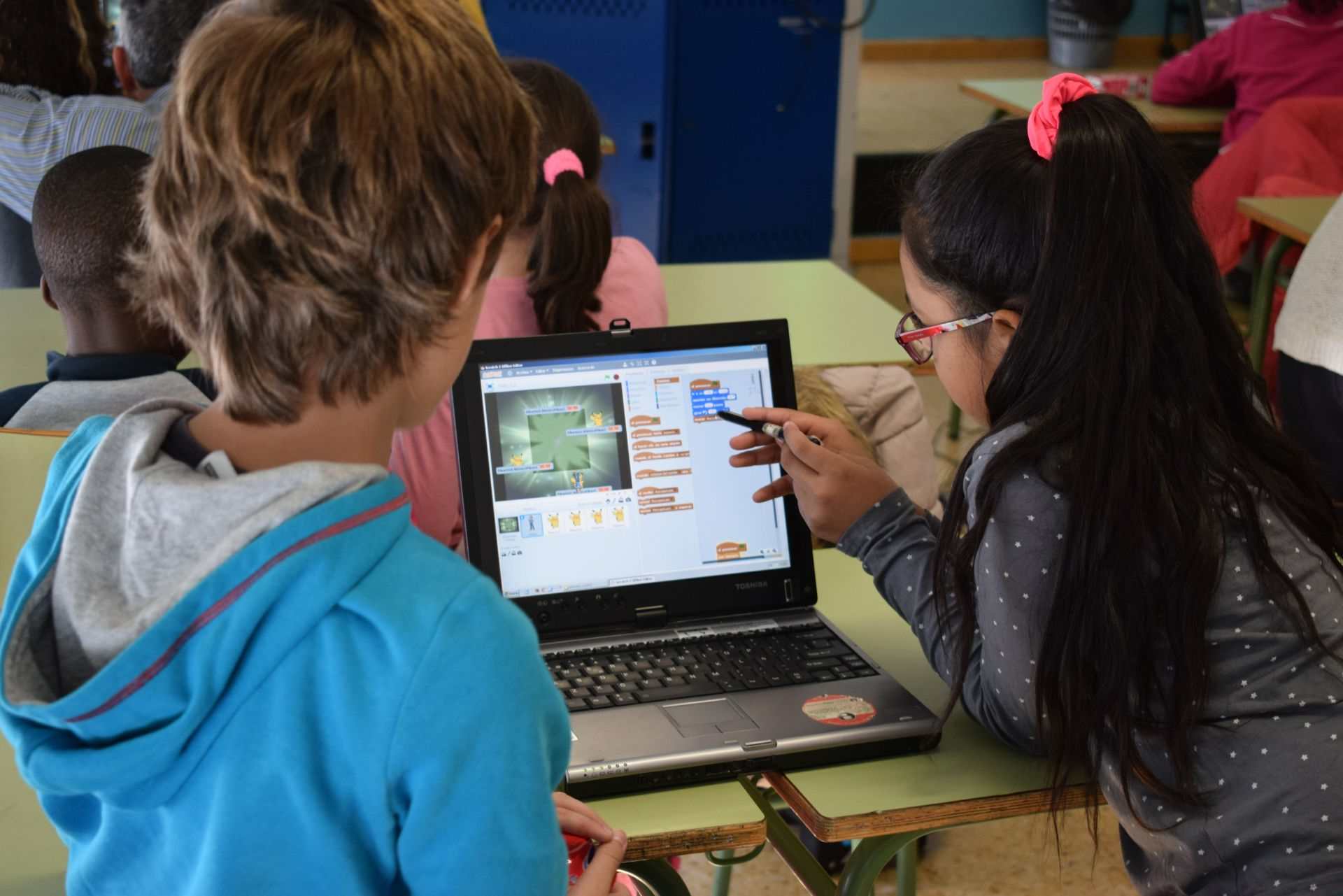
Finding the best educational tools for children is an increasingly important task in today's digital age. With the integration of technology into classrooms and the daily use of computers, tablets, and mobile phones by young children, the availability of educational programs and apps has exploded. Parents, teachers, and schools now have access to a wealth of resources that can transform learning into a fun, interactive, and, above all, effective experience for children's overall development.
In this article, you'll find a comprehensive and detailed guide to the main educational software programs and apps for children, from the most traditional to the latest app trends, including free platforms, open-source resources, games, and content creation projects. Everything is presented clearly, with up-to-date information, advantages, tips, and a description of the best options based on age and subject. If you're looking for a resource to support your children's or students' digital learning, this is an essential starting point.
What is educational software and what is it used for?
Educational software is understood as any computer program designed to enhance, complement, or facilitate teaching and learning processes . These programs can be installed on computers, tablets, or used directly in the cloud, and are geared toward both teachers and students of all ages.
The main function of an educational program is to transform learning into an interactive and motivating experience through the use of images, sounds, videos, and other multimedia technologies. Furthermore, it fosters independent work and the acquisition of essential digital skills for modern life. Many of these programs include gamified elements ( such as games and rewards ), allowing children to learn naturally, almost without realizing they are studying.
These environments adapt to different realities: from curricular support in schools and tutoring centers, to independent learning at home or distance education. The result is a more personalized, inclusive, and engaging learning experience.
Types of educational software for children: how do they differ?
The world of educational apps and programs for children is so vast that it's helpful to categorize them. There are different types of educational software depending on their purpose, methodology, and how they interact with users.
- Tutorial software: It presents sequential lessons or specific topics, guiding the student's learning step by step. They usually include explanations, activities, and reinforcement exercises.
- Authoring and content creation platforms: They allow teachers or students to create their own teaching resources, presentations, videos, and interactive activities.
- Educational games and simulators: They propose challenges, missions, or explorations, promoting problem solving, logic and creativity through playful experiences.
- Management and evaluation applications: They facilitate the organization of tasks, progress tracking, evaluation, and feedback of students.
- Collaborative learning platforms: They promote teamwork, communication, and collaboration among users.
- Reference resources and research tools: They include dictionaries, libraries, reference managers, maps, etc.
In addition, there are specific programs for each subject (mathematics, languages, science, music, art…), others for cross-curricular use, and resources that have been developed freely and free of charge (open source), which allows their use at no cost.
Advantages of educational software: why choose it?
Educational programs and apps for children offer a long list of benefits :
- Flexibility: It allows learning anytime, anywhere, adapting to the child's pace and needs.
- Interactivity: It integrates games, videos, and practical exercises that maintain high attention.
- Personalization: Many programs adjust the difficulty and content according to the progress and needs of each student.
- Motivation: Positive reinforcement, digital rewards, and statistics They encourage you to continue learning..
- Development of digital skills: Children become more comfortable using technology, fundamental for their future.
- Inclusion: There are tools adapted for children with special educational needs.
- Support for families and teachers: It facilitates progress tracking and communication between parents, teachers, and students.
- Access to unlimited resources: From digital libraries, videos, virtual labs and interactive materials, access is almost infinite.
How to choose the best educational program for children
When choosing the most suitable educational software for a child, it is important to consider several key aspects:
- Recommended age and curriculum suitability: The content should be tailored to the student's developmental stage and learning objectives.
- Pedagogical quality: It is essential that the materials have been designed by education experts and have a scientific basis.
- Interactivity and attractive design: The graphics, sounds, and gameplay mechanics should be stimulating and age-appropriate.
- Security and privacy: Avoid apps with intrusive advertising, hidden purchases, or unsupervised requests for personal data.
- Accessibility: There must be options for children with visual, auditory, motor, or learning difficulties.
- Updates and support: It is advisable to choose programs that are frequently updated and offer user support.
Examples of educational software for children: the essentials
The variety is enormous, but some programs and apps have become established as benchmarks in early childhood and primary education. Below, we review some of the best options, divided into categories to facilitate finding the ideal resource for your needs.
Authoring and content creation programs
These tools allow you to create lessons, presentations, interactive activities, or complete courses:
- iSpring Suite: One of the most comprehensive software programs for designing interactive educational content, simulations, and assessment tests. Widely used by teachers who want to prepare customized resources for their students. It's easy to use for users with basic PowerPoint skills. It's a paid program, but it offers powerful multimedia features.
- Articulate 360: A professional suite for creating and publishing e-learning courses, with gamification options, quizzes, and simulations. It is ideal for formal education and advanced corporate training.
- Adobe Captivate: Specializing in the generation of simulations, screen recordings, interactive exercises, and advanced digital learning scenarios. Allows exporting results to learning management platforms.
- Canva: While not educational software per se, its simplicity and vast template library make it perfect for creating presentations, infographics, and visual materials for children and young people. Available in free and professional versions.
- Lectora / Elucidat / EasyGenerator: Authoring solutions more geared towards large educational institutions and companies, with tools to scale content production and manage teaching teams.
- Adapt: Open source, highly valued by the educational community for creating HTML5 resources compatible with any device. Ideal if you have technical skills and are looking for flexibility at no cost.
Platforms for online classes and learning management (LMS)
These applications are designed to create virtual classrooms, share materials, and manage distance or hybrid learning:
- Google Classroom: Free and easy to use, it is one of the most popular platforms for organizing online classes, sending assignments, sharing documents, and communicating with students.
- Zoom: Although it's a general-purpose videoconferencing tool, it has become a preferred resource for online classes due to its stability and image quality. It includes both a free and a paid version with more features.
- Jitsi: A free alternative to Zoom, requiring no registration and offering basic features for securely teaching remote classes.
- iSpring Learn: Learning management system (LMS) easy to implement in educational centers, with progress tracking and access to free trials.
- Moodle: The most established and flexible open-source platform for managing courses, exams, forums, and resources. Free, but requires your own hosting.
- TalentLMS / Blackboard Learn / Canvas LMS / EvolCampus / Absorb: Professional LMS systems used in schools, academies, and businesses for advanced management, reporting, and personalization of the educational experience.
- Cypher Learning: LMS that incorporates artificial intelligence, gamification, and adaptive learning to offer a personalized and motivating education.
Educational apps for children aged 3 to 12
There are many apps designed for children and elementary school students, many of them free, that support both academic reinforcement and the learning of new skills. The criteria they typically use for recommendation include:
- Age-appropriate content
- Active learning (challenge resolution, interaction, participation)
- Positive reinforcement (medals, rewards)
- Security and privacy (no intrusive ads or requests for personal data)
- Development of digital and transversal skills
Some of the most highly rated children's apps by families and teachers are:
- Smile and Learn: A Spanish platform with over 14.000 activities for children aged 3 to 12, developed by educators and adapted to different levels. It offers a one-month trial and regularly updated content.
- BrainPOP: It includes videos, activities, and quizzes on science, art, and music for children aged 9 to 12. Its animations and tests help reinforce knowledge.
- iNotebooks by Rubio: The interactive digital version of the traditional Rubio workbooks, with various levels and medals to motivate children.
- Academons: More than 20.000 educational games and challenges for primary school, in the form of virtual pets, making learning fun.
- Gioseppo Command: Environmental adventure game where children solve challenges and unlock rewards to save the planet.
- BBC iPlayer Kids: Learn English with adapted videos and the option to watch offline.
- Smartick: Spanish application for learning mathematics in daily 15-minute sessions, which adjust to the student's pace.
- Alphabet for children: To begin learning letters, while reinforcing motor skills and auditory/visual recognition.
- Anatomy: The human body: It teaches anatomy in 3D and uses augmented reality to visualize printable models and worksheets.
- Planet Geo: Learn about capital cities, flags, maps, and geography, with parental controls and no internet connection required.
Free and open-source educational software: accessible options for everyone
Free or open-source educational software offers a great opportunity to ensure access to educational technology. Many cover levels from early childhood through secondary school.
- GCompris: More than 100 activities in areas such as mathematics, science, logic, memory, letters, geography, chess, keyboard and mouse, for children aged 2 to 11.
- Shepard Software: English games about math, science, geography and language, ideal for introducing children to the language and logical thinking.
- ChildsPlay: A variety of games focused on memory, language, numbers and sounds, adapted for preschool and early elementary school levels.
- Sebran and Mini Sebran: Simple games for learning letters, numbers, drawing and painting, perfect for the little ones.
- Jclic: Free tool for creating and sharing interactive educational activities, compatible with Windows, Mac and Linux.
- Scratch and Scratch Jr: They foster creativity and logic, allowing children to create their own games, stories, or simulations. Scratch Jr is suitable for ages 4 to 7.
- Tuxmath and GeoGebra: Environments for practicing mathematics, algebra, geometry and spatial vision, at all educational levels.
- CubeTest: Exercises in vision and spatial logic with questions about geometric figures.
- Free drawing and art platforms: Gimp, Sean Magic, Pekepint to enhance artistic skills and creativity.
- Natural and Social Sciences: Space Place (NASA), Celestia, Stellarium, Virtual Moon, Marble, World Wind, Google EarthResources to explore the universe, planets, geography, and scientific phenomena in a visual and interactive way.
- Conceptual maps: VYM, IHMC CMapTools, CMaptools: free tools to create, share and visualize networks of ideas.
- Online gaming and activity platforms: Vedoque, Childtopia, Educational Games MX: hundreds of minigames and resources for different subjects and ages, from typing to logic and memory.
Apps for learning languages through play
Language learning can be fun if you use interactive programs for children:
- Duolingo / Duolingo Kids: A leader in language learning, with vocabulary, grammar, and pronunciation exercises. The Kids version offers tailored activities and reinforcement for younger learners.
- Fun English: Multiplayer app with games to expand vocabulary, improve pronunciation and use English in a playful context.
- Babbel, LalTal, Busuu: Platforms that offer interactive lessons, personalized classes, and communities of native speakers to practice with.
- Nominis: Teach English with stories narrated by native speakers, with visual material and progress tracking.
- BBC iPlayer Kids: A great resource for immersing yourself in English through adapted videos and cartoons.
Educational resource and reference platforms
To advance in learning, children may require reference materials, organization, and research skills:
- Zotero, Mendeley, EasyBib, EndNote: Programs for managing references, citations and bibliographies, useful in projects and work in both primary and secondary education.
- Quizlet: Tool for creating and reviewing vocabulary cards, learning through play activities and in the classroom.
- Khan Academy / Khan Academy Kids: Free resources in math, science, reading and social-emotional skills, with exercises and interactive videos for all ages.
- PBS Kids: Games and activities in English based on popular characters, to reinforce reading, mathematics and values.
- Starfall, ABCmouse: Literacy and early learning platforms, highly valued for reinforcing reading, writing, and mathematics.
Educational games and gamified platforms
Play is one of the most effective ways for children to learn:
- Prodigy Math: They turn mathematics into adventures with interactive stories, challenges, and digital rewards.
- Toca Boca – Toca Life World: They allow you to explore a virtual world, invent stories and customize scenarios, fostering creativity and experimentation.
- Monster Math 2, Poco Eco's Adventures: Specific games to reinforce mathematical reasoning and logical skills, with guaranteed fun.
Classic educational programs and digital adaptations
Some traditional titles in education have been digitized and adapted:
- Math Magic, Imagine and Create with Pipo, My First Steps with Pipo, Caillou Memory Sequences and Pairs, Geography with Pipo, Plumo on the Farm: Collection of programs for Windows with activities in mathematics, logic, memory, letters, geography, social sciences and music, with visual activities for different levels of primary and preschool.
- They include logic, visual memory, puzzles, letter and number recognition, artistic activities, and musical games.
- Specific geography and social science programs display maps, countries, capitals, flora, fauna, and basic concepts in multimedia resources.
Office software and cross-functional tools
In addition to specific subjects, it is important that children acquire knowledge of tools for future work:
- WPSOffice: A suite compatible with common formats, allowing you to create documents, presentations, edit PDFs and collaborate online, with AI features to improve texts.
- It facilitates teamwork and access to templates from any device.
Success factors and precautions when using educational software
The use of educational programs for children has advantages, but also some risks:
- Digital divide: Not everyone has access to devices or a good internet connection. It's important to promote free, offline resources to ensure equality.
- Distractions and responsible use: Supervision and selection of quality resources prevent misuse.
- Security and privacy: Review privacy policies, avoid apps with advertising and hidden purchases, and always have adult supervision.
- Education Children and teachers may need time to adapt to these tools. Free tutorials and courses are available to help.
- Special needs: Look for programs with accessibility or customization options for students with specific difficulties.
By combining quality educational software with pedagogical strategies and appropriate supervision, learning can become a more complete, engaging, and effective experience. Technology, when used well, is a fundamental ally for children to develop in the digital world with confidence, motivation, and curiosity. Explore different resources, try them out, and select those that best suit each stage and need. The future of learning is here and within your reach.