- Free antivirus programs for Windows offer basic protection against malware, although with more advertising and fewer features than paid versions.
- Bitdefender, Avast, Avira, and Windows Defender stand out for their good detection and low performance impact among the free options.
- Additional tools such as VPNs, ransomware decryptors, and password generators enhance security beyond traditional antivirus software.
- Reviewing languages, requirements, offers, and automatic renewals is key to combining free and paid solutions well without surprises.

Having a free antivirus for Windows is no longer optional if you want to browse, download files, or work with peace of mind. Malware, phishing, Trojans, and ransomware have become increasingly sophisticated, and cybercriminals take advantage of any lapse in security to infiltrate your PC and steal data, money, or even lock your documents.
At the same time, it's also true that many users seek protection without paying a fee , avoiding subscriptions or annual plans. The good news is that there are several very powerful free solutions for Windows that offer a solid barrier against most threats, although with certain limitations compared to paid versions and some drawbacks, such as advertising or reduced features.
Free antivirus for Windows: what you can really expect
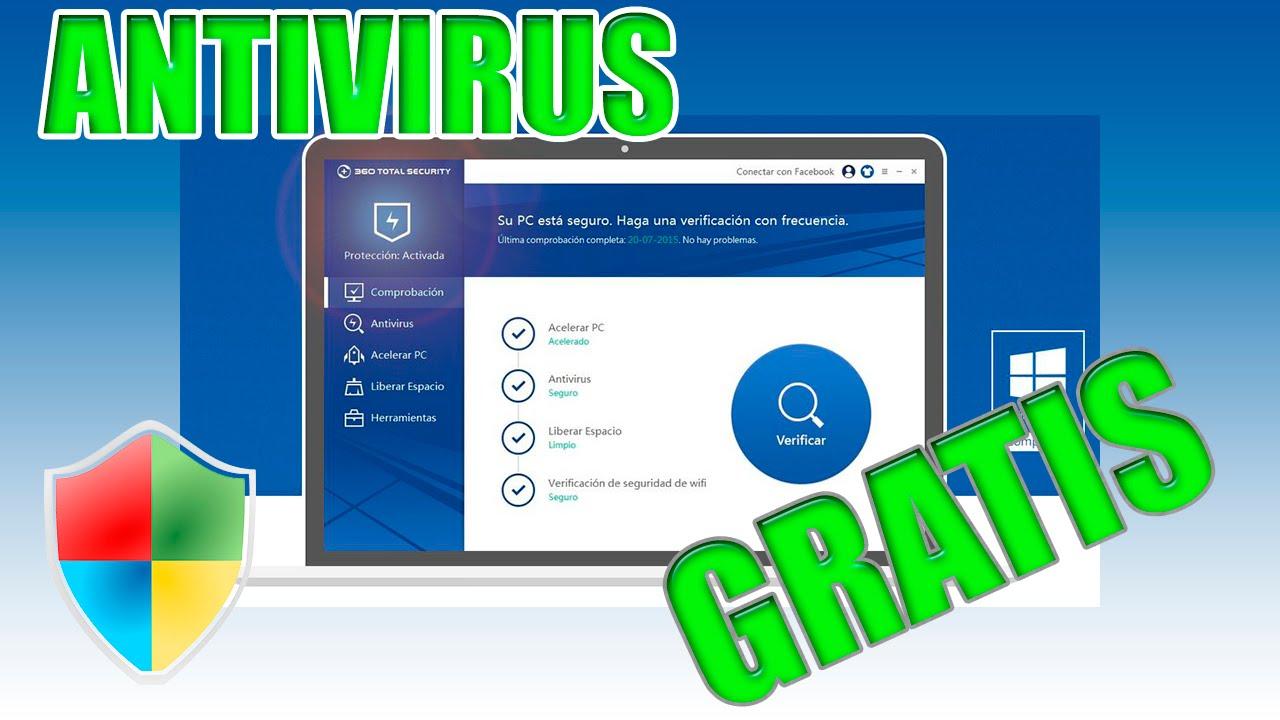
Before going into detail about each program, it's important to understand what a free antivirus for Windows offers and how it differs from a premium solution. Free products typically focus on essential protection against known malware and viruses, and often include some form of real-time analysis and on-demand scans.
The downside is that these free antivirus programs often include ads, notifications, and suggestions to upgrade to a paid plan. Furthermore, they typically lack features such as advanced ransomware protection, dedicated online banking tools, social media security, and enhanced firewalls, all of which are included in paid suites.
Even so, for many home users who only need basic protection, these free options may be more than enough, especially if combined with the built-in Windows antivirus and good security practices (not opening suspicious files, keeping the system updated, using strong passwords, etc.).
It's important to keep in mind that Windows 11 includes Windows Defender as standard , a security system that has improved over time and now offers a reasonable level of protection, with low resource consumption and good detection of common malware. However, it falls somewhat short in areas such as phishing or very recent and little-known threats.
The best free antivirus options for Windows

When choosing, it's important to consider malware detection effectiveness, performance impact, ease of use, and, of course, the level of sales pressure the application will use to get you to upgrade to the paid version. Based on independent testing and available information, here are some of the key names.
Bitdefender Antivirus Free for Windows
Bitdefender offers a free version of its antivirus for Windows, boasting award-winning technologies inherited directly from its paid products. The company emphasizes that its virus detection rate is among the best in the industry, a claim supported by independent labs that consistently rank it among the top performers.
This free antivirus focuses on providing highly accurate, real-time protection that respects system performance. It analyzes your PC's daily activity patterns to react as soon as it detects suspicious changes, allowing it to stop both known threats and newer ones that are still emerging.
Among the types of attacks it aims to protect you against are infected downloads —files that appear harmless but contain viruses or malware capable of compromising your computer and stealing personal data. It also boasts protection against phishing, a tactic used by criminals to generate highly convincing messages that impersonate banks, messaging services, or other trusted organizations.
Another worrying category is rootkits and Trojans , threats that are especially difficult to detect because they infiltrate the operating system's core and can use your credentials to impersonate you, steal information, or take control of your computer. Bitdefender Antivirus Free also monitors malicious websites, which can embed harmful code in virtually anything you click on, including content related to cryptocurrencies or NFTs.
If your device is already infected, Bitdefender emphasizes that its free antivirus can act as a cleaning tool . It integrates scanning and removal features capable of locating and eliminating existing threats, allowing you to restore your PC to a stable state without having to pay for software.
One of the strengths of this solution is that it's designed to interfere as little as possible with your activity. Many free antivirus programs are almost as resource-intensive as the malware itself, constantly displaying pop-ups; Bitdefender's solution aims to avoid this so as not to interrupt your work, gaming, or browsing.
According to the company, the program can be used indefinitely ; it's not just a free trial. Simply download and install it on your Windows PC (including Windows 10 and 11) for permanent basic protection.
Basic steps to install Bitdefender Antivirus Free
Although the process is straightforward, Bitdefender summarizes the installation in three simple steps so anyone can do it without any trouble. First, you need to download the installer from the official website. Then, run that file and follow the on-screen instructions during the installation.
Once the process is complete, simply let the antivirus run in the background . The software will scan your computer, update its signature database, and monitor activity to detect threats in real time without you having to constantly check on it.
Comparison with Bitdefender Antivirus Plus (paid version)
Bitdefender itself points out that, while its free version is a very useful first line of defense , its paid suites add a more powerful arsenal for those who want to be extra safe. Bitdefender Antivirus Plus, for example, is one of its flagship products and has received top marks from specialized publications such as PCMag.
If we compare Bitdefender Antivirus Free with Antivirus Plus, we find that the paid version includes all the features of the free version and adds protection against ransomware, anti-tracker to block trackers on the web, secure online banking, specific protection for social networks, and special modes for playing games, working, or watching movies without interruptions.
Another key difference is that the paid solution offers protection for more device types , covering not only Windows, but also Android, iOS, and macOS, depending on the package you choose. In contrast, the completely free version is specifically focused on Windows PCs.
Bitdefender typically offers promotional deals, trial periods, and 30-day money-back guarantees with its paid products , as well as bundles that include a basic VPN with 200 MB of encrypted data per day. For those who need even more, the brand offers packages like Bitdefender Total Security or Premium Security, which combine antivirus, a VPN with unlimited traffic, and advanced technical support.
Avast Free Antivirus
Another classic in the world of PC security is Avast Free Antivirus , a long-established solution that has been installed on all types of computers for many years. Its antivirus engine is backed by a network of over 435 million users, allowing it to detect threats early on as they begin to circulate online.
The company boasts AI-powered cybersecurity capable of analyzing behavioral patterns and anticipating potential attacks. This technology, combined with the vast amount of data collected by its user network, allows the system to react in real time to new forms of malware, Trojans, and massive phishing campaigns.
Avast Free Antivirus has received numerous awards and accolades from media outlets such as PCMag, AV-Comparatives, and AV-Test, ranking it among the best free solutions for its detection rate and protection against malicious websites. One of its greatest strengths is its ability to block pages that attempt to impersonate legitimate services or infect users through phishing downloads.
However, it's also worth noting that Avast can be quite insistent with its in-app advertising . It's common to encounter pop-ups, suggestions for "optimizing" your computer, or constant recommendations to upgrade to the paid version. If these types of ads don't bother you too much, it offers robust and comprehensive security for being completely free.
In 2021, the company launched Avast One , a revamped security product that, in some countries such as the United States, United Kingdom, Canada, Australia, Switzerland, France, and Germany, offers a more unified approach, with antivirus, VPN, and other features integrated into a single solution.
Avira FreeSecurity
Avira is another major player in the industry, and its Avira Free Security solution has earned a solid reputation for its malware detection capabilities and multi-platform approach. In addition to antivirus protection for Windows, it offers mobile versions and a suite of additional tools.
One of the unique features of Avira Free is its built-in basic VPN , which allows you to encrypt some of your connection traffic and add an extra layer of privacy while browsing. It also includes a system scanner that checks for potential security or performance issues.
Like Avast and AVG, Avira is part of the Norton corporate group , but it maintains its own identity, interface, and scanning technology. Independent lab reports consistently rank it among the highest-rated free antivirus programs.
Windows Defender (Windows Security)
For years, Microsoft has integrated a suite of tools into its systems under the Windows Security umbrella , the cornerstone of which is Windows Defender. This antivirus is enabled by default on any Windows computer and guarantees a minimum level of protection even if the user doesn't install anything additional.
A huge advantage of Windows Defender is that it comes pre-installed and updates automatically with your operating system, so you don't have to worry about renewals or additional downloads. If you ever decide to install another antivirus program, Defender will automatically deactivate to avoid compatibility issues.
In recent years, its ability to block malware-infected websites and suspicious files has significantly improved , reducing the number of false positives and optimizing performance. The impact on system speed is quite low, making it suitable for computers with limited resources.
However, it still has some significant shortcomings . Its anti-phishing protection doesn't measure up to other specialized solutions, and its response to very new or uncommon threats can be less effective. Therefore, although it's a good starting point, many users choose to supplement it with a more comprehensive free antivirus or an additional security service.
VPN and extra security: beyond free antivirus
In addition to traditional antivirus software, there are solutions that combine VPNs with threat protection to offer an extra layer of security. Some paid VPNs, such as NordVPN or Surfshark, include specific modules to block trackers, malicious websites, and dangerous downloads, thus adding a layer of protection to your network traffic itself. If you need to adjust network settings, check your VPN ports.
Surfshark, for example, offers a package called Surfshark One that integrates a VPN, antivirus, ad blocker, parental controls, and other features designed to protect multiple devices. The idea is that you can browse, download, and consume content with an encrypted connection, while the system scans in real time for potentially harmful files or tracking attempts.
These types of solutions aren't free, but they can complement or even replace traditional antivirus software in some cases, especially if you spend a lot of time browsing and downloading content online. They combine encryption, tracker blocking, and malicious website lists, which greatly enhances web security.
Additional security tools and utilities
In addition to general antivirus programs, there are specific utilities for particular threats , especially useful if you suspect your PC is already compromised or if you want to strengthen specific areas such as documents or the CPU.
For example, some security suites, such as those from 360 Security, offer a ransomware decryption tool capable of recovering files damaged by known variants like GandCrab, Jsworm, or x3m. The goal is to thoroughly analyze the encryption mechanism used by the ransomware in order to reverse it and restore the documents to their original state.
Another useful tool is 360 Document Protector, a system that protects important documents through real-time monitoring and automatic backups . This way, if ransomware attempts to encrypt your files, you have a better chance of recovering them thanks to the backups created before the attack.
In response to high-profile threats like WannaCry, the company developed WannaCry Recovery Tool , whose mission is to analyze the specific workings of that malware in order to restore encrypted files using the most accurate method possible.
Beyond ransomware, there are also tools like the NSA Cyber Weapons Defense Tool , which checks if your computer is vulnerable to certain exploitation techniques related to leaked NSA tools. If it detects vulnerabilities, it suggests and installs the necessary security updates to protect you against attacks that exploit those weaknesses.
Finally, 360 includes a CPU Vulnerability Assessment and Fix Tool that checks if your Intel processor might be affected by vulnerabilities like Meltdown or Spectre. If it finds risks, it helps you download and install patches and updates with a single click, thus closing doors that could be exploited to leak sensitive information.
Languages and antivirus compatibility on different systems
When we talk about security solutions, it's not just about their effectiveness; it's also crucial that they're available in your language and work correctly on your devices. Many of the tools mentioned have versions adapted to different systems and regions.
In the case of Windows, manufacturers typically offer extensive language support . Options are available with interfaces in German, Czech, Simplified and Traditional Chinese, Korean, Danish, Slovak, Spanish, French, Dutch, Hungarian, Indonesian, English, Italian, Japanese, Malay, Polish, Portuguese (Brazilian and Portuguese), Russian, Serbian, and Turkish, among others. This greatly simplifies configuration and makes it easier to understand notifications and alerts.
For Mac, however, some security solutions are only available in English , which might be a minor drawback for those who prefer to manage their protection in their native language. This is something to check in the product details if you plan to protect a macOS computer as well.
On Android, the range of languages is usually just as extensive or even broader, with availability in German, Arabic, Chinese, Korean, Spanish, Finnish, French, Greek, Hebrew, Hindi, Norwegian, Swedish, Thai, Ukrainian, and Vietnamese, in addition to those already mentioned for Windows. This is important because mobile phones are now one of the favorite targets of cybercriminals.
On iOS, language support is generally similar to that of Android, with support for Arabic, Traditional Chinese, French, German, Hindi, Dutch, English, Italian, Japanese, Polish, Brazilian Portuguese, Russian, Thai, Turkish, and Vietnamese. This allows you to maintain a consistent experience across all your devices with the same interface language.
Subscriptions, promotions, and trial versions
Although we're focusing on free antivirus software for Windows here , almost all brands maintain a strong emphasis on subscription models. It's very common for them to offer special deals for the first period (for example, one year), reduced promotional prices, and various types of automatic renewal.
Most often, after an initial promotional period , the subscription price automatically renews at a standard rate for each period (monthly, annually, or biennially). In many cases, companies highlight the "savings" by comparing the promotional price with the regular renewal price, something worth reviewing carefully to avoid surprises.
Trial versions are also common , requiring you to enter a payment method from the start. During the trial period, you can enjoy the product as if it were a paid subscription, but if you don't cancel in time, the subscription starts automatically at the price shown for the first period, and then at the regular renewal price. It's very important to pay attention to the trial end dates and the price that will be applied afterward.
Some offers highlight specific discounts, showing something like a promotional price, the amount saved compared to the standard price, and the renewal cost after the first cycle. Again, the key is to read the fine print and decide if it's worth upgrading from a free antivirus to a more comprehensive, paid solution.
Other free tools from Bitdefender
In addition to the free antivirus for Windows, Bitdefender offers several free complementary tools that can help you strengthen the security of your browsing and passwords.
One such tool is Bitdefender Link Checker, which allows you to quickly verify the safety and authenticity of any link before clicking on it. It's especially useful in emails, social media, or messages where you receive shortened or suspicious URLs, as it helps detect online traps and prevent you from landing on malicious websites.
Another useful tool is Bitdefender Password Generator, designed to create very strong passwords to protect your accounts against brute-force attacks, data breaches, and other unauthorized access attempts. Using long, random, and unique passwords for each service is one of the best defenses against credential theft.
These tools can be downloaded completely free of charge and work as a perfect complement to your antivirus , expanding your digital security kit without having to invest additional money.
System and browser requirements for Bitdefender Central
To manage your Bitdefender products, the company has a platform called Bitdefender Central , from where you can view your protected devices, download installers, review subscription information, and access help resources.
Regarding software requirements, Bitdefender Central is compatible with modern browsers such as Chrome version 56 and later, Firefox version 52 and later, and Safari version 10.0 and later. Using an updated browser version not only ensures compatibility with the platform but also contributes to improving your overall online security.
From Bitdefender Central you can also initiate the antivirus reinstallation if you change computers, consult the user guide, watch video tutorials and access the Support Center , where there are articles and documentation to solve common problems.
Taken together, the ecosystem of free and paid tools from various brands, along with integrated options like Windows Defender and complementary solutions like VPNs, allows you to build a fairly complete security shield even without spending money, as long as you know how to combine each piece well and are careful with what you install and where you browse.
Taking all this into account, choosing the best free antivirus for Windows involves considering not only the detection rate, but also the impact on performance, the level of advertising annoyance, compatibility with your devices, and the possibility of upgrading to a more complete suite if your situation requires it, so that you can keep your PC, your data, and your digital life safe with the right balance between security, convenience, and cost.
