- Keeping the microphone and grilles of your mobile phone clean significantly improves the quality of calls and recordings.
- It is possible to clean the microphone at home with safe tools such as compressed air, adhesive tape, putty, and soft brushes.
- Avoid liquids, sharp objects, and high-pressure air to prevent damage to the microphone's internal diaphragm.
- If distortions or very low volume persist after careful cleaning, it is advisable to consult a specialized technical service.
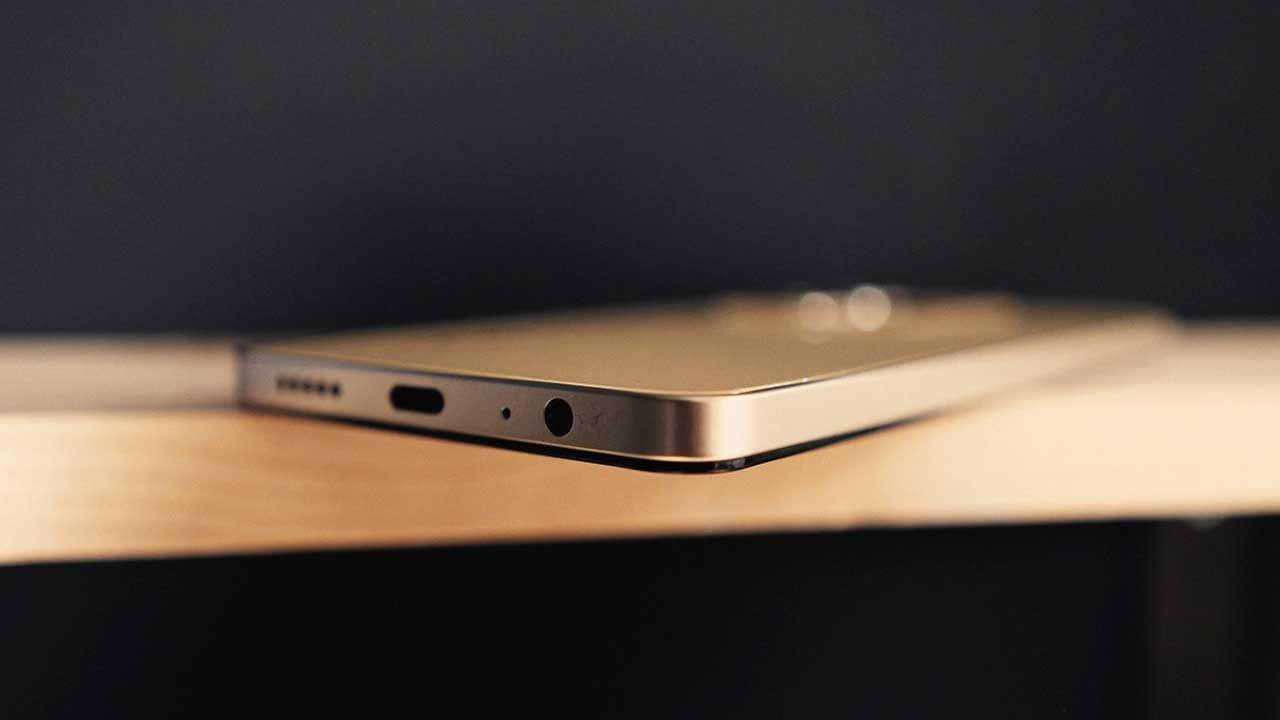
I'm sure more than once someone has told you "I can't hear you well" during a call or when receiving one of your WhatsApp voice messages. And you, thinking it's just a matter of the signal or the other person's Bluetooth headphones. But when that phrase is repeated over and over, it's time to be suspicious: your phone's microphone might be malfunctioning , and it's not always due to a software or network problem.
In most cases, the cause is as simple as the microphone hole being clogged with dust, lint, or accumulated dirt. Keep in mind that it's a tiny hole constantly exposed to the environment : dust, humidity, sand, pockets, backpacks… it all adds up. Luckily, if there's no internal damage, it's usually an easy problem to fix at home with a little care and the right tools.
How to tell if your mobile phone's microphone is having problems
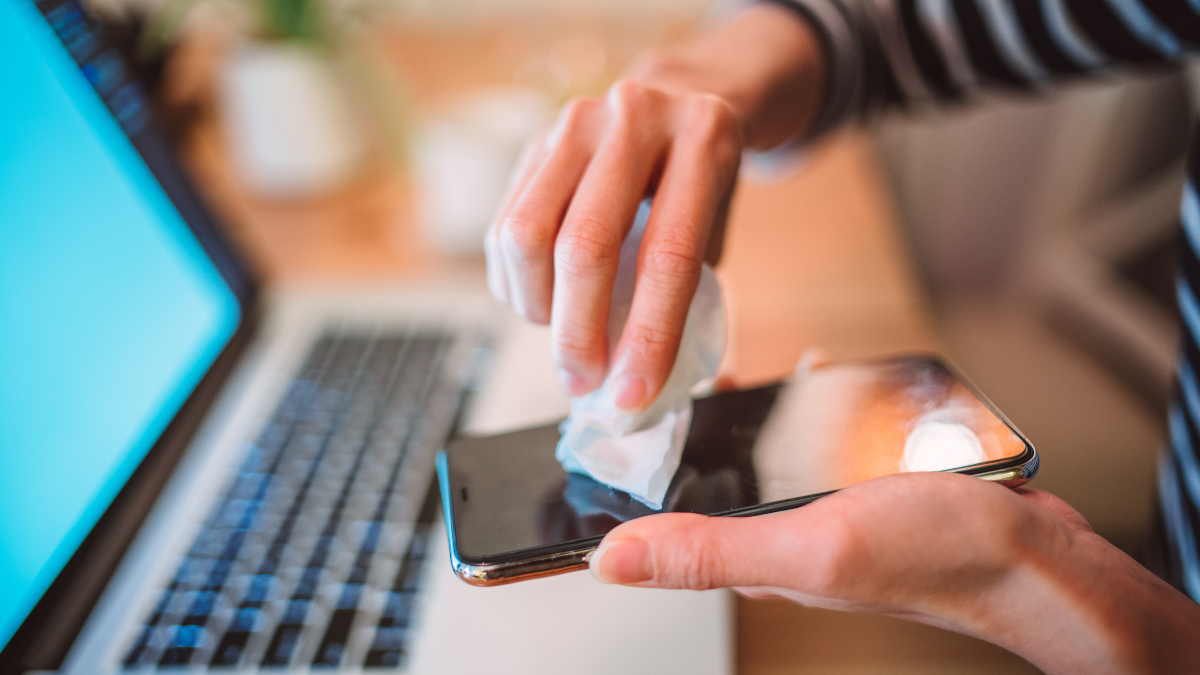
Before you start cleaning anything, it's a good idea to confirm that the problem is actually coming from the microphone and not from something else like the signal, the app, or even the other person's phone speaker.
The quickest way to check is not to call anyone, but to use the voice recorder that comes with your phone . Almost all smartphones include a very simple audio recording app that works perfectly for this test.
Ideally, you should make two separate recordings: first using only the phone's microphone (without a case, so nothing covers the holes) and then another using headphones with a microphone or an external microphone if you have one. This way you can clearly compare whether there's a difference.
If, when playing back the recording made with your phone, you notice your voice is very low, muffled, distorted, or sounds like you're in a tunnel , it's a clear sign that something is wrong with the main microphone. If you sound perfect with headphones and only the phone's microphone is malfunctioning, that's even more suspicious.
In some cases, the problem might be a temporary software glitch , and simply restarting the phone should fix the microphone . If the problem persists after restarting, it's very likely that dirt is clogging the grille or the small duct that carries the sound to the microphone.
Why does the microphone on my mobile phone get so dirty?
The microphone and other openings on the phone (speakers, charging port, sensor slots) are points where absolutely everything gets in: dust, lint, sand, pocket debris, and even moisture . Even if the phone has a dust resistance certification, that doesn't mean it won't get dirty.
Dirt doesn't just make your voice sound worse; over time, it can affect the overall performance of your device . A clogged speaker will sound quieter, an obstructed microphone will pick up less sound, and a grimy charging port can even cause charging problems.
One of the worst enemies of your phone is beach sand: the grains are so small and abrasive that they get into any crack , no matter how small. If you carry your phone loose in your towel or backpack, it's only a matter of time before some sand ends up inside the microphone or speakers.
That's why it's recommended that when you go to the beach or very dusty environments, you protect your mobile phone with a waterproof case or keep it well stored in a bag or backpack, and don't leave it exposed on sand or dirty surfaces.
In addition, it should be noted that humidity and certain debris can act as corrosive agents over time, affecting the microphone's mesh, contacts, and internal membranes if it is not cleaned regularly.
Recommended tools for cleaning your microphone without damaging it
Cleaning your phone's microphone at home is possible and relatively easy, as long as you use the right tools and avoid improvised fixes with dangerous objects. You don't need to spend a fortune; a few basic tools are all you need.
One of the most practical options is compressed air specifically designed for electronics . These cans are designed to clean delicate devices and, if used correctly, help remove dust and lint without direct contact. It's important that the product is intended for electronic equipment and doesn't have excessive pressure.
Smartphone cleaning kits sold on online stores like Amazon or AliExpress are also very useful . They usually include very fine bristle brushes (less than 0,7 mm), special swabs, and other accessories designed to fit into the ports without damaging them.
Cleaning putty or paste is another very effective way to remove dirt from crevices and vents. It's a sticky substance that traps dust and debris on contact. Used carefully, it can be the perfect solution for a severely clogged microphone.
In addition to these more specific products, at home you can use simple tools such as a soft-bristled toothbrush (preferably worn out) or pieces of adhesive tape to remove dirt from the surface of the holes.
Preliminary steps before starting to clean the microphone
Before tinkering with your phone, it's a good idea to prepare everything to reduce risks and work comfortably . It's not a complicated operation, but it's best to do it calmly.
The first thing to do is completely turn off your phone . This prevents potential short circuits, system failures, or accidental touches on the screen while handling it more forcefully than usual.
Next, remove the case . Often, the case itself partially covers the microphone hole or accumulates lint in that area, so it's a good idea to clean it separately and work with the phone "naked."
Find a well-lit spot with a clean surface so you can clearly see the microphone hole. It's usually located next to the charging port (a small, discreet hole), although some phones have multiple microphones distributed around the chassis.
Have all the tools you'll need on hand: a can of compressed air, a fine brush, putty, masking tape, or suitable cotton swabs . The less you have to get up to look for things mid-process, the better.
Safe methods to clean your mobile phone's microphone
There are several ways to clean your microphone without damaging its internal components. Below you'll find methods listed from least to most invasive , so you can always start with the gentlest option.
Basic cleaning with air (blowing or with compressed air)
The first attempt can be as simple as blowing a couple of times onto the microphone opening . Sometimes, when the dirt is superficial or very recent, this is enough to dislodge the dust particles and allow the sound to flow again.
A slightly more effective option is to use a can of compressed air designed for electronics . Place the nozzle about 5 cm from the hole, never touching it, and apply very short bursts of air, slightly rotating the angle to cover the entire outline.
It is crucial not to overuse the pressure: if the jet is too strong it can push dirt inside or even damage the delicate membrane that protects the microphone.
Some users also resort to the "straw trick": blowing through a straw aimed at the hole to concentrate the air a little more, but always gently and without applying excessive force.
Cleaning with adhesive tape
If air hasn't been enough, a highly recommended method is to use office tape or painter's tape . Both adhere well to dust but don't leave as much residue as other types of tape.
Cut a small piece and gently stick it onto the area where the microphone is , pressing just enough so that the tape adapts to the surface and the small gaps in the grille.
Next, very carefully, you can use the SIM removal tool, a paperclip, or a toothpick to gently press the tape onto the holes, without piercing it or inserting the metal directly inside.
Next, pull the tape slowly, without jerking it, to remove the dirt stuck to the surface of the holes . If you still see dust, you can repeat the process a couple more times.
Cleaning with adhesive putty
Blu Tack-type adhesive putty or specific electronic cleaning pastes are a very effective solution for more stubborn dirt . However, they require a bit more care to avoid leaving any residue inside.
Start by taking a small piece of putty and molding it into a sort of small, narrow cylinder , thin enough to cover the microphone slot without overflowing too much.
Place the putty over the hole and press very gently so that it gets slightly into the grille area , without forcing it into the device. The idea is that the putty only comes into contact with the surface dirt.
Next, carefully remove it; if all goes well, you'll see some of the dust and lint that were blocking the sound stuck to the putty. If you want to repeat the process, always use an area that's clean of putty.
Cleaning with a soft bristle brush
Another very useful alternative, especially if you also want to take the opportunity to check the charging port or the speakers, is to use a soft, fine-bristled brush , such as those included in cleaning kits, or a gentle toothbrush.
In the specific case of the microphone, ideally the bristles should not exceed 0,7 mm in thickness , so that they can enter the grille without getting stuck or pushing dirt inside.
Gently insert the brush into the hole, without pushing it all the way in and without applying force . Make small circular or back-and-forth movements, removing the brush frequently to clean the bristles and avoid pushing the dust back in.
This method is especially practical for the charging port, which is larger, but it can also help remove particles trapped in the microphone area if done gently.
Occasional use of isopropyl alcohol
Some tutorials recommend using isopropyl alcohol very sparingly to clean specific areas of the phone, as it evaporates quickly and leaves hardly any residue if used correctly.
If you choose this method, lightly moisten a cotton swab with isopropyl alcohol (never soaked) and pass it only over the outside of the microphone area , without dripping or letting any liquid enter the device.
This technique is mentioned as a last resort, but generally, many technicians don't recommend it for the microphone hole due to the risk of getting too much liquid inside. If you do use it, make sure the phone remains turned off and let the alcohol evaporate completely before turning it back on.
What not to do when cleaning your mobile phone's microphone
Just as important as knowing which tools to use is being clear about what things are totally discouraged , because they can leave you without a microphone forever.
Never use sharp or rigid objects such as needles, safety pins, pins, or even metal sticks directly on the opening. The microphone diaphragm and protective mesh are extremely delicate and can be easily punctured or deformed.
Also avoid putting liquids directly into the microphone hole . Water and household cleaning products (soap, rubbing alcohol, all-purpose cleaners) can cause corrosion or leave residue that worsens the problem.
It's not a good idea to use industrial air guns or high-pressure compressors. They're designed for other purposes and generate a force that can damage internal components or push dirt into even harder-to-reach areas.
Another classic mistake to avoid: don't put your wet phone in rice . Rice doesn't absorb water as is often claimed, and besides, the grains or rice dust can get into the slots and end up blocking the microphones and speakers even more.
How to clean speakers and other openings
Since you're already doing maintenance, it's a good idea to also clean the speakers, grilles, and charging port , as all these elements are susceptible to dust and lint buildup.
For the speakers (both the bottom one and the earpiece), you can use the same adhesive tape method , sticking small pieces onto the grilles and carefully lifting them several times until no more residue comes out.
A medium- or soft-bristled toothbrush can also help loosen surface dirt from the vents . Use gentle circular motions, then remove the dust with the brush itself or with low-pressure compressed air.
If after several passes the speakers still sound bad, choppy or very quiet, there may be dirt accumulated deeper down or even internal damage , in which case it is advisable to go to a technical service.
Check if the cleaning has worked
Once the cleaning is complete, it's time to test if the microphone is working properly again . It's a simple but essential step to know if the effort was worthwhile.
Turn your phone back on and repeat the sound test: use the voice recorder to make a new recording speaking at a distance similar to that of a normal call and with a natural tone of voice.
Play the recording and check if the volume is clear, stable, and free of unusual noise . You can compare it to the recording you made before cleaning to see if there's a noticeable improvement in quality.
Additionally, try calling someone you trust and ask if they can hear you clearly. Another good test is to send a WhatsApp or Telegram audio message and listen to it yourself on the recipient's phone, if that's possible.
If after these steps the sound is clear and without problems, the problem was most likely indeed due to accumulated dirt and you have successfully solved it.
Signs of internal damage: when to seek technical service
Sometimes, even after thoroughly cleaning the microphone, the problem persists or even worsens . In those cases, you may be dealing with an internal fault that can no longer be fixed at home.
Some clear signs that there may be physical or electronic damage to the microphone are: extremely low volume even in quiet places , constant voice distortion, or crackling noises that persist in any app that uses the microphone.
Another important clue is that the phone's secondary microphones stop working , for example the noise cancellation microphone during video recordings or the one used by some apps to capture ambient sound.
Sometimes, the problem appears after the phone has gotten wet, suffered a hard knock, or after a pin has been accidentally inserted into the microphone hole, mistaken for the SIM tray. In these situations, the part is likely to be damaged.
If you don't notice any improvement after repeating the cleaning process with compressed air, a brush, and putty, the best course of action is to take the device to a specialized repair service . There, they can disassemble the module, clean it using advanced methods (such as ultrasonic cleaning), check the audio circuitry, and replace the microphone or any damaged seals.
What to do if the microphone has gotten wet
When a mobile phone comes into contact with water or other liquids, the sound often becomes muffled or sounds as if it's underwater . Many times, this is simply because there's still liquid in the vents.
If you notice that your phone's microphone isn't working properly after getting wet, the first thing to do is dry it naturally . Leave it in a dry, well-ventilated place at room temperature, away from direct sunlight and heat sources like radiators or hair dryers.
You can help slightly by gently blowing through the openings, but don't use a heat gun or put it in rice. Rice won't solve the problem and can introduce more particles into the holes , making the situation worse.
If the microphone continues to malfunction after a few hours or a day of drying, the liquid may have damaged internal components . In that case, it's best to consult a technician as soon as possible to minimize further damage.
The importance of keeping your microphone clean in the long term
Beyond simply fixing a specific problem, it's a good idea to get into the habit of checking and cleaning your phone's microphone and vents from time to time . Just like you clean the screen, you should also take care of these less visible areas.
A dirty microphone doesn't just affect calls; it can also ruin the quality of WhatsApp audios, voice notes, and video recordings , giving a low-quality feel to everything you send.
By cleaning regularly and following the appropriate precautions, you extend the lifespan of the device and avoid unnecessary visits to the technical service for problems that could have been prevented.
In addition, keeping your mobile phone clean, including microphones and speakers, also has an impact on hygiene and your own health , as you reduce the presence of dust and debris that accumulates everywhere and ends up on your hands and face.
Ultimately, taking a few minutes every now and then to check these small details makes all the difference between a phone that still works like new and one where calls become a constant struggle to be heard.
Taking care of and properly cleaning your mobile phone's microphone, using appropriate tools such as compressed air, adhesive tape, putty and soft brushes, avoiding liquids and sharp objects, and knowing when it's time to go to a technician, is the best way to ensure that your calls, audio and videos always sound clear and without interruptions.
