- OLED and QD-OLED screens have very delicate coatings, especially QD-OLEDs with moth filters, which are easily damaged by unsuitable products.
- The only safe materials are soft microfiber cloths, distilled or purified water and, in QD-OLED, 70% ethanol always applied to the cloth.
- Avoid generic alcohols, ammonia, glass cleaner, kitchen paper, and spraying liquids directly onto the screen.
- Frequent but gentle cleaning, along with good habits of not touching the screen, extends the life of the panel and maintains image quality.
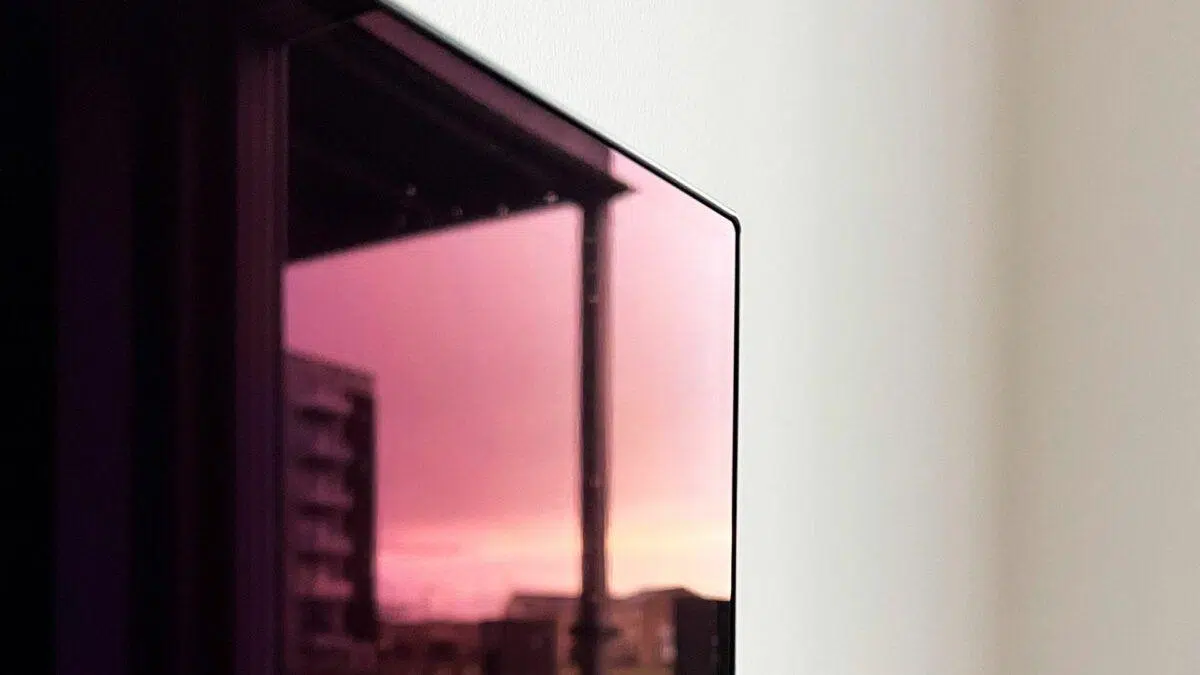
If you've spent a good amount of money on an OLED/QD-OLED TV or monitor, you're probably worried about how to clean the screen without leaving scratches or damaging the coating . That's normal: these panels offer a spectacular image, but their surface is quite delicate and doesn't tolerate harsh products or just any old wipes.
Many users delay cleaning for fear of damaging the screen, while others resort to glass cleaner, paper towels, or rubbing alcohol … and then permanent stains, strange reflections, or even bluish areas appear. Let's take a look, calmly and step by step, at how to clean an OLED or QD-OLED screen without scratching it , using the manufacturer's recommendations and the methods that are working best in practice.
What makes OLED and QD-OLED screens so delicate
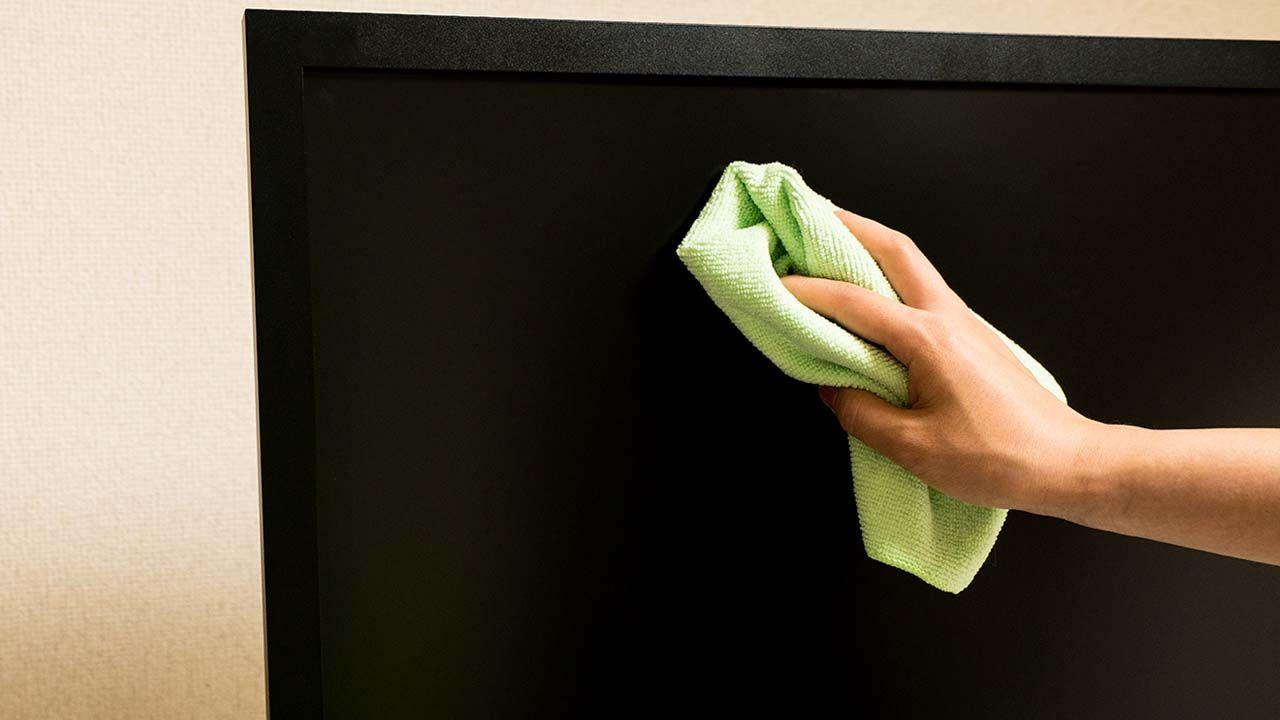
Modern TVs and monitors use technologies like OLED, WOLED, QD-OLED, QLED, and MiniLED , each with its own specific layers and coatings. LG's "classic" OLEDs (WOLED) have a sensitive surface, but the anti-reflective treatment is less problematic; in contrast, Samsung's QD-OLED panels use a special "moth eye" filter that's fantastic for preventing reflections... but a nightmare to clean properly.
This moth filter is based on a structure of nanometric microcones , inspired by the eyes of moths, which reduces light transmission by up to almost 99,7%. This microscopic geometry allows for better light absorption, but it also means that any unsuitable product can alter the surface , leaving permanent halos or bluish stains that are impossible to remove.
On OLED and QD-OLED screens, the panel is very thin, and any excessive pressure can cause damaged pixels, light or dark spots , or even visible distortions when viewing dark content. Therefore, it's not advisable to rub it roughly as if it were a window pane: use very little force, no abrasive paper, and absolutely no harsh chemicals.
In addition, everyday dirt (splashes, saliva, fingerprints, dust, smoke, cooking grease, etc.) tends to stick to these surface layers. With daily use, if not cleaned properly, fingerprints, white smudges, and stains accumulate , reducing contrast, increasing reflections, and ruining the image quality we paid for.
Key differences between WOLED and QD-OLED when cleaning
Before we get started, it's important to understand that cleaning an LG OLED (WOLED) is not the same as cleaning a Samsung QD-OLED . Both are sensitive, but QD-OLEDs with moth filters are considerably more sensitive to cleaning products.
On WOLED TVs and monitors (LG and similar brands) without such an aggressive moth-eye filter, it's relatively safe to use certain screen cleaners as long as they don't contain alcohol, ammonia, or other harsh chemicals. Brands like WOOSH! (even used by Apple in stores), Ecomoist, and iO Clean offer alcohol- and perfume-free solutions that work well on these types of panels.
However, with Samsung's QD-OLED panels , the manufacturer itself had to publish an official guide after users reported problems with blue stains or "burned-in" areas on the anti-reflective coating during cleaning . For these models, Samsung recommends a very specific method: three high-quality microfiber cloths and a 70% ethanol solution , always applied to the cloth and never directly to the screen.
This doesn't mean that WOLED offers unlimited products. In fact, many experts recommend that, even if your screen doesn't have a moth filter, you use the gentlest method possible: microfiber and distilled water , or at most, certified electronic screen cleaners that are alcohol- and ammonia-free.
In short, the prudent approach is to treat any OLED as if it were a QD-OLED : no fancy tricks, very little cleaning fluid, a fresh microfiber cloth, and gentle movements. This way, you can avoid any unpleasant surprises, regardless of the model you have.
Recommended materials for cleaning without scratching
Before touching the screen, you need to prepare properly. Manufacturers and technical guides agree that the right materials are worth more than any DIY trick.
For safe cleaning of LCD/OLED monitors and OLED/QD-OLED televisions, you will need, as a basic set of items:
- Soft, unused microfiber clothsPreferably use cloths designed for delicate surfaces (glasses, camera lenses, screens). Avoid cloths with harsh seams or labels that could scratch.
- Distilled or purified water: without minerals or lime, so that it does not leave rings or residue when drying.
- Spray bottleOnly spray the liquid onto the cloth, never onto the screen. This helps control the amount of water.
- Optional in WOLED: specific screen cleaners (WOOSH!, Ecomoist, iO Clean…), always free of alcohol, acetone, ammonia, perfumes or abrasives.
- In QD-OLED (according to Samsung): 70% ethanol solution (ethyl alcohol, easily found in pharmacies) and three different microfiber cloths.
- Optional: portable air duster or compressed air (used properly, without letting liquid coolant leak out), to remove surface dust before wiping.
An important detail that many overlook is that new cloths themselves can contain dust or particles from the factory . It is highly recommended to shake them well or use compressed air on them before first use to minimize the risk of microscopic scratches when rubbing.
General steps to clean an OLED without damaging it
While each panel type has its own nuances, there are a number of common steps that apply to LCD/OLED monitors, OLED TVs, and QD-OLED TVs . Following these basic guidelines will help you avoid most problems.
The first thing to do, always, is to make sure the device is turned off and unplugged . Besides preventing electrical shocks, a black screen makes dust and marks easier to see, and reduces electrostatic charge, so less dirt sticks to it.
Once it's turned off, begin with a dry cleaning . Use a completely clean microfiber cloth and gently wipe the surface, without pressing or making any sudden movements. If there's a lot of dust, you can use an air duster or compressed air first , always keeping the can upright to prevent liquid from splashing out.
If fingerprints or smudges remain after dusting, it's time to clean with a slightly damp cloth . Spray a tiny amount of distilled water (or the solution recommended for your screen type) onto the microfiber cloth, never directly onto the screen, and wipe it with smooth, even movements.
After cleaning the stained area, use another dry microfiber cloth to absorb any remaining moisture. Ideally, the screen should not be soaked, but only slightly damp, so it dries quickly and leaves no streaks.
Gentle method with distilled water for light stains
For many everyday situations (a little dust, small splashes, droplets of saliva when speaking at close range, etc.), a very simple method using distilled water and a microfiber cloth is usually sufficient . This system is especially useful if you don't trust any commercial cleaners.
The procedure, inspired by the experience of users who are particularly meticulous about micro-scratches, follows a rather careful sequence. The first step is to completely turn off the monitor or television and let it cool for about 10 minutes if it has been on, so that the surface isn't hot. This reduces the risk of damage and allows the liquid to evaporate more controlled.
Next, use a portable air duster or compressed air to remove both visible and hidden dust. This step is crucial so that when you wipe the panel with light pressure, you don't drag along hard particles that could scratch it.
Next, prepare the spray bottle with distilled water . Ideally, rinse it several times with the distilled water (fill, shake, empty) to remove any manufacturing residue or internal particles. Once clean, refill it with fresh distilled water.
Before wetting the cloth, take a few seconds to clean it: use the air duster on the microfiber cloth as well to remove any lint that might have come from the factory. With these things, the more meticulous you are, the less likely you are to scratch the panel.
Now, very lightly spray the cloth with the bottle of distilled water . Less is more here: a few sprays from a distance are enough to create a light mist. You don't want to soak it; just leave it slightly damp.
With a slightly damp cloth, clean the screen using gentle, circular or straight strokes , applying only light pressure—just enough to remove the dirt. It's a good idea to do this in natural or well-lit daylight to see the smudges disappear.
Once you notice the surface is clean, turn the cloth to the dry side or switch to another completely dry microfiber cloth and go over the entire screen. The goal is to remove any remaining moisture and leave the panel smooth, without streaks or droplets.
This process might seem a bit extreme, but the advantage is that you don't use any chemicals or added cleaners , and you minimize the possibility of micro-scratches. Many users find that, by following this method, the screen looks brand new even after months of heavy use.
Samsung's official method for QD-OLED with moth filter
In Samsung's QD-OLED models, the brand itself acknowledged that the moth-eye anti-reflective filter is the main culprit behind cleaning problems. The nanometric cone structure offers a dramatic reduction in reflections, but it is extremely sensitive to the wrong cleaning products and improper rubbing.
After numerous users reported blue stains and permanent halos following cleaning attempts, Samsung tested up to 25 different combinations of cleaners, sprays, and cloths over several weeks to define a safe protocol. The result: a relatively simple, yet highly specific method.
The recommended materials are just two: three soft, good-quality microfiber cloths and a 70% ethanol solution as the cleaning agent. Nothing else. No supermarket wipes, no all-purpose cleaners, no vinegar, and no ammonia.
The first step is to unplug the television to reduce static electricity and avoid any electrical hazards. Then, using the first dry microfiber cloth, gently remove loose dust in one direction, minimizing the risk of scratching the screen.
Once the surface is free of visible specks, 70% ethanol comes into play . A small amount is sprayed onto the second microfiber cloth (never onto the screen) and wiped over areas with fingerprints, grease, or oil stains resulting from skin sebum and perspiration.
It's important to clean without applying too much pressure and using a uniform, one-way motion , either up and down or side to side, to avoid uneven marks. 70% ethanol evaporates quite quickly, so the surface will be dry in a few minutes without needing to be rubbed.
As a final touch, Samsung suggests using the third, completely clean and dry microfiber cloth for a final light wipe, simply to remove any remaining residue and leave the panel perfectly smooth. It's an optional step, but highly recommended if you're a perfectionist.
Users who have followed this method on QD-OLED report that the unsightly blue spots disappear and the screen regains its original appearance, with no noticeable damage to the anti-reflective coating. As long as the materials are respected and nothing else is used, the risk is greatly reduced.
How to clean other OLED, QLED, and MiniLED TVs
Although this guide focuses primarily on OLED and QD-OLED, many of the recommendations also apply to QLED, MiniLED, and modern LCD monitors . In all cases, we are dealing with panels that have delicate surface layers, anti-reflective coatings, and sometimes touch surfaces.
For these other televisions, the general procedure is very similar: turn off and unplug the device , remove dust with a dry microfiber cloth, and only if there are persistent stains resort to a mild mixture of distilled water with white vinegar (in equal parts) or a specific screen cleaner, provided it is free of alcohol, ammonia and perfumes.
In any case, the cleaning fluid should always be sprayed onto the cloth, never directly onto the screen , and you should avoid using napkins, toilet paper, kitchen paper, or rough fabrics. These materials, combined with dust, can act almost like fine sandpaper, leaving scratches that are especially noticeable in dark scenes.
The way you wipe the panel can vary: gentle circular motions help to blur specific marks, while straight strokes in a single direction reduce the risk of leaving visible patterns. The important thing is not to press too hard, not to overdo it in one area to the point of warping the panel, and to always use clean cloths.
These care tips are valid for small 32-inch TVs as well as giant 75, 83, or 98-inch screens . With very large models, it's a good idea to move slowly and cover large areas evenly, avoiding placing weight on the center of the screen.
Common mistakes that can ruin your screen
Just as important as knowing what to do is knowing what never to do when cleaning a screen . Many damages come from last-minute "inventions" that seem harmless but aren't.
One of the most common mistakes is using products containing alcohol, ammonia, or acetone , such as generic glass cleaners, household disinfectants, or furniture polish. These chemicals can damage the screen's coating, leaving "burned" areas or removing part of the anti-reflective treatment.
Another dangerous habit is spraying the liquid directly onto the panel . Excess liquid can drip down the sides or edges, seep inside, and cause electronic malfunctions, internal stains, or even the complete failure of the television.
It's also advisable to avoid using kitchen paper, toilet paper, napkins, or rough cloths . Although they may seem soft at first glance, when combined with dust they act as an abrasive and create micro-scratches, which are very visible under side lighting or on dark surfaces.
It's not a good idea to clean a screen while it's on or hot . The heat accelerates uneven evaporation of the cleaning fluid, can set stains, and increases the risk of scratching the surface. It's best to wait until it's cool and work carefully.
Finally, avoid pressing too hard or resting your hand directly on the panel . The layers of an OLED or QD-OLED are extremely thin; localized pressure can cause dead pixels, permanent shadows, or distortions. Always use light, even movements.
How often and how to keep your screen clean for longer
The cleaning frequency depends a lot on where you have placed your TV or monitor . An OLED in the living room is not the same as a small television near the kitchen, exposed to grease and steam, or a screen in a room with smokers.
In general, a very gentle, dry cleaning is recommended periodically (for example, weekly or bi-weekly) to remove dust, reserving liquid cleaning only for when there are obvious fingerprints or stains. The less you handle the surface with cleaning products, the longer it will remain pristine.
It helps a lot to get used to not touching the screen with your fingers or pointing while resting your hand on it. Almost all fingerprints and greasy smudges come from skin perspiration, which leaves behind sebum and oils that are difficult to remove later.
Another good practice is to avoid placing the television in areas with a lot of airborne grease (near the stove, grills, etc.) or directly in front of a window where it's exposed to direct sunlight and dust. If it's going to be unused for a while, you can use dust covers or protectors to prevent dirt from settling on the screen.
Maintaining adequate ventilation in the room also reduces the accumulation of airborne particles. Less dust in the air means less need to wipe the screen and, therefore, less wear and tear on the coating over time.
When these small habits are combined with a suitable choice of products (distilled water, 70% ethanol only in QD-OLED according to the manufacturer, quality microfiber cloth), and good preventive maintenance , it is much easier to keep the TV looking like new even after years of games, movies and series.
With a little care and by following these methods tested by manufacturers and users, any OLED, WOLED, QD-OLED, QLED or MiniLED screen can be kept shiny, streak-free and free of blue spots , so that the investment you have made in image quality is fully utilized throughout the lifespan of the device.
