- Top emulators for Nintendo Switch on PC and Android: Yuzu, Ryujinx, Egg NS and DamonSwitch.
- Advantages, compatibility and requirements of emulators, including their unique features.
- Legal aspects, usage recommendations, and official alternatives such as Nintendo Switch Online.
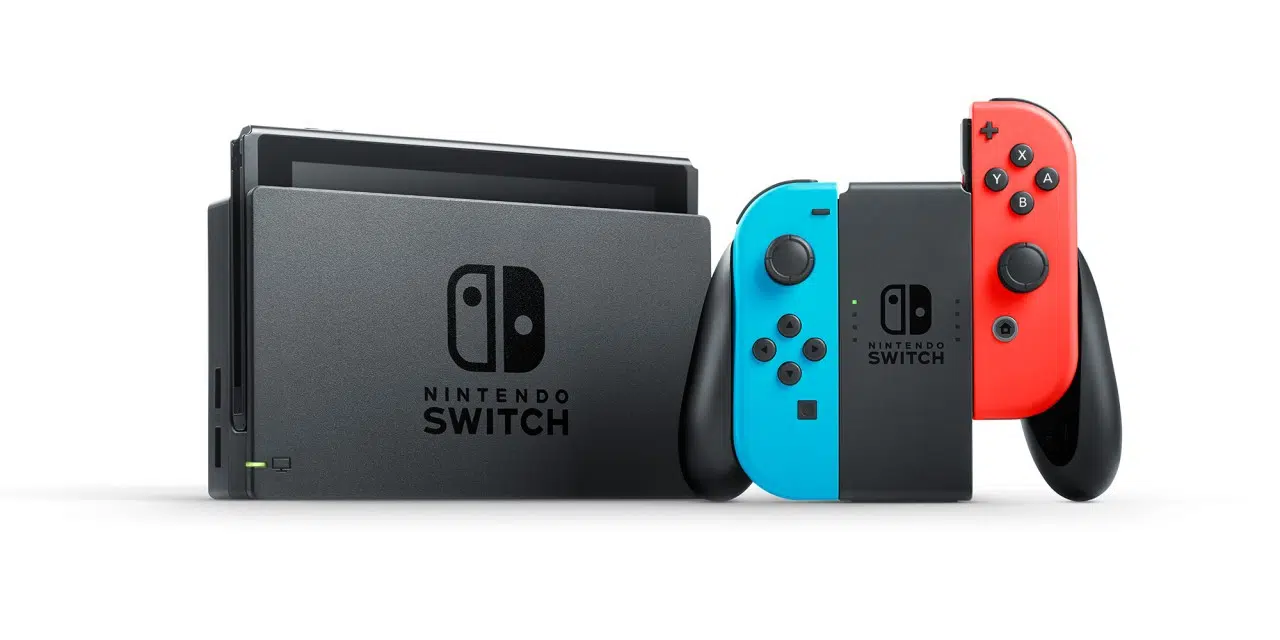
The popularity of the Nintendo Switch has led thousands of gamers to seek new ways to enjoy their favorite titles , even without owning the original console. This has spurred the development of emulators that allow users to bring the full Switch experience to various devices, including computers, Android phones, and even tablets. Exploring the world of emulators can seem complicated given the variety of options and concerns about compatibility and legality, but fortunately, reliable and legal solutions exist for those who want to play Switch games on other platforms.
This article presents a comprehensive guide to the best Nintendo Switch emulators currently available , focusing on both PC and Android options. It includes detailed information on their features, requirements, and setup, as well as legal considerations and best practices. If you're considering trying Switch emulation, this guide has everything you need to know to get started without getting lost among the many options.
Why use a Nintendo Switch emulator?
Not all gamers can afford a Nintendo Switch, but that doesn't mean they have to give up on its exclusive and legendary games . Emulators have emerged as a solution for those who want to enjoy titles like Mario Kart, Pokémon, or The Legend of Zelda on their PC or mobile device, taking advantage of the technological capabilities of these devices. Furthermore, emulators often add features not available on the original console , such as enhanced graphics, customizable controls, and the ability to record and share gameplay.
Emulation has advanced remarkably in recent years , making many games fully playable, with stability, good performance, and an experience very close to what the original hardware offers.
The best Nintendo Switch emulators for PC
In the world of computer emulation, two names clearly stand out: Yuzu and Ryujinx . Both have proven to be solid and constantly updated options, making them a safe bet for those who want to enjoy quality emulation.
Yuzu: pioneer and powerful
Yuzu was the first emulator capable of running commercial Nintendo Switch games on PC . Developed by the creators of Citra (the well-known 3DS emulator), it is open source and free, making it especially appealing to both advanced users and beginners.
Yuzu is programmed in C++ , which gives it excellent portability and efficiency. It is compatible with both Windows and Linux, and supports a wide variety of games, many of which can run with virtually no graphical glitches or performance drops.
Among the main advantages of Yuzu are:
- Great compatibility, with a very extensive list of working games, including the most well-known and recent titles.
- Low resource consumption compared to what is typically required by next-generation emulators.
- Frequent updates and active support, with detailed documentation and FAQ section directly on their official website.
- Ability to scale the rendering resolution, simulating resolutions higher than even the original Switch resolutions.
- It supports the OpenGL and Vulkan graphics APIs (the latter still in experimental phase).
- It allows multiple user profiles and interface customization (light theme, dark theme, night blue theme, etc.)
- Online multiplayer is disabled, but local multiplayer works perfectly.
Although it has some occasional incompatibilities with certain titles, the experience it offers in games like Super Mario Odyssey is virtually identical to the original , with hardly any delays or significant errors. Furthermore, it offers regular updates and a very active community , which helps resolve issues and keep the software up to date.
Ryujinx: a solid alternative with multi-platform support
Ryujinx is programmed in C# and has established itself as the first truly cross-platform emulator for the Nintendo Switch , as it is fully compatible with Windows, Linux, and macOS. It stands out for its intuitive interface and transparent game compatibility policy, clearly indicating which games work perfectly and which may have issues.
Ryujinx Highlighted Features:
- Over a thousand recognized games, half of them fully playable, and with an updated and public compatibility list.
- Advanced screen customization and scaling options, allowing you to adjust the resolution and aspect ratio.
- Auto mode to automatically activate anisotropic filtering and improve image quality.
- Support for Discord Rich Presence, allowing you to show the game you're running to your contacts.
- Possibility of local multiplayer via LAN or wireless connection.
- NVDEC emulation to play internal videos and cinematic scenes correctly.
- Simple setup and ease of use, even for those with no experience with emulators.
One of Ryujinx's strengths is its stability and performance in demanding titles , reaching 60 fps in many cases, although it still has some limitations (for example, it cannot run all commercial Nintendo Switch games, mainly due to technical and development restrictions).
The Ryujinx team is very active and continues to improve the emulation, correcting errors and optimizing the software with each update, getting closer and closer to the original console experience.
Nintendo Switch emulators for Android
The leap from emulators to Android phones has been a small revolution , allowing virtually any user with a powerful smartphone to play Switch titles. There are several alternatives for Android, but two options stand out above the rest: Egg NS Emulator and DamonSwitch.
Egg NS Emulator: Play Switch on your mobile
Egg NS Emulator is currently the best option for those who want to enjoy Switch games on mobile devices . Developed by NXTeam Studios in the United States, it's an emulator that focuses on maximizing the mobile gaming experience by leveraging the power of chips like the Snapdragon 855, 855+, and 865.
Egg NS Emulator Features:
- Compatible with a wide range of games, with a public and up-to-date list of supported titles.
- A very refined touch experience, with smooth controls perfectly adapted to the screen.
- Intuitive interface in several languages, no advertising and with clear sections.
- It allows you to take full advantage of the mobile hardware, but it is recommended to have a latest generation mobile phone for optimal performance.
The installation and use of Egg NS can be complex for less experienced users , as it requires extracting your own games from the original console (for legal reasons) and obtaining some additional files. While this can be a drawback, those who manage to configure it enjoy remarkable performance and a large number of compatible games . The software is under active development, with constant updates to improve compatibility and performance.
DamonSwitch: a free and customizable option for Android
DamonSwitch – Switch Emulator is a free alternative that allows you to run Switch games on Android smartphones and tablets . Developed by the creators of DamonPS2, this emulator stands out for its compatibility with external controllers (including console controllers), the ability to use cheats, complete control customization in the paid version, and the absence of ads in the premium version.
Its main advantages include:
- Compatibility with physical controllers and customization of touch buttons.
- Optimized performance for the best Android processors, offering superior image quality thanks to current screens.
- It allows offline play (without an internet connection) in the paid version.
- It allows the use of cheats and has advanced graphics settings.
Although DamonSwitch is free, some games may experience graphical glitches, performance issues, or fail to launch at all . Development is ongoing and the game is being refined with each update, but it's important to have realistic expectations and test compatibility with any titles you're interested in.
Other alternatives and official services
Not all gamers look for emulators for mainstream or next-gen games . Nintendo offers its own service, Nintendo Switch Online, which allows you to play classic titles from the NES, Super NES, Nintendo 64, SEGA Mega Drive, Game Boy, and Game Boy Advance via subscription. The offering expands with the Expansion Pack, including more consoles and features , such as online multiplayer, voice chat, and special versions of some games with extra modes or advanced playthroughs.
The classic game catalogs on Nintendo Switch Online are updated regularly , and you can access all titles released to date as long as your subscription remains active. The online multiplayer feature and voice chat, accessible through the Nintendo mobile app, add even more value to retro gaming.
This service does not replace the virtual console, but it does bring together a large part of the legendary games enhanced for the current generation , allowing you to play both offline and online (although it is necessary to connect periodically to validate the subscription).
Legal aspects to take into account
The legality of using emulators is a common concern for many users . It's important to note that using emulators is completely legal as long as copyright isn't infringed. In other words, you can download and use the emulator software, but sharing copyrighted ROMs is illegal.
If you have your own legitimate copies of the games (for example, extracted from your own Switch console), the use falls into a kind of legal limbo , with no clear judicial precedents, although the practice is generally considered to be personal use and accepted.
Caution: Downloading games from alternative websites, torrents, or forums without rights may involve legal and cybersecurity risks.
Where can I find and how do I install the games?
Each emulator lists compatible games and instructions for extracting your own games on its official website . Some allow you to check compatibility before trying and even find practical guides on how to transfer your saved games or tips for achieving the best performance.
In the case of mobile devices, it is vital to consult the lists of compatible devices (for example, Egg NS Emulator indicates the Snapdragon models recommended for the best results) and make sure you have legal and properly configured files.
Switch emulators on Android: what options are there really?
Currently, there are several apps and APKs that allow you to emulate the Switch on Android phones . From DamonSwitch and Egg NS Emulator (the two main options), to other lesser-known ones, many can be found in reliable repositories and specialized websites.
Its most common features include:
- Basic and simple emulation for less demanding titles (ideal for classic or indie games).
- Compatibility with Bluetooth controllers and the ability to customize the controls.
- Graphics configuration options to maximize performance based on available hardware.
- Some require specific keys or files to function (to avoid legal problems and ensure legitimate use).
The experience can vary significantly depending on the device's power and the app's optimization . Generally, models with a Snapdragon 855 or higher offer the best performance, although some titles may run on less powerful phones.
What if I want to play exclusively classic titles?
Classic games from the NES, SNES, Nintendo 64, Game Boy, and SEGA are now officially available to Nintendo Switch Online subscribers . The service adds new features, such as online play, voice chat, and special save files, making the experience much more modern.
The advantages of this service include:
- Unlimited access to hundreds of classic games for the duration of your subscription.
- Possibility of enjoying online multiplayer modes in retro games originally designed for local co-op.
- Regular updates with more games and additional modes.
- Advanced save files and special features in some titles.
There is no need to download or configure emulators, and safety and legality are fully guaranteed , since all content is official from Nintendo.
Common difficulties and tips for the best experience
Regardless of the emulator you choose, it's common to encounter compatibility issues or graphical glitches in some titles . Here are some tips to avoid frustration:
- Always check the list of compatible games on the emulator's official website before installing anything.
- Use the latest version of the emulator and keep your operating system updated.
- On Android, make sure you have a powerful device; otherwise, many games won't work properly.
- Read the FAQs and participate in user communities to resolve issues or doubts.
Nintendo Switch emulation allows players to enjoy their favorite titles without relying on the original hardware . Yuzu and Ryujinx stand out on PC for their performance, compatibility, and community, while Egg NS Emulator and DamonSwitch bring the experience to Android mobile devices, allowing you to play from anywhere, albeit with a more complex setup process. Official Nintendo services are ideal for those nostalgic for classic games and those who value maximum legality and security. With the right information and by choosing the emulator that best suits your needs and device, you can enjoy an authentic Switch experience wherever you are.
Table of Contents
- 1 Why use a Nintendo Switch emulator?
- 2 The best Nintendo Switch emulators for PC
- 3 Nintendo Switch emulators for Android
- 4 Other alternatives and official services
- 5 Legal aspects to take into account
- 6 Where can I find and how do I install the games?
- 7 Switch emulators on Android: what options are there really?
- 8 What if I want to play exclusively classic titles?
- 9 Common difficulties and tips for the best experience