- Mods optimize online gameplay, improving graphics, performance, and key features.
- There are specific mods for adventure, building, technology, magic, weapons, and PvP in multiplayer.
- All players must have the same mods installed for a stable and fun online experience.
- Choosing and managing mods correctly allows you to customize servers and online games according to your desired style.
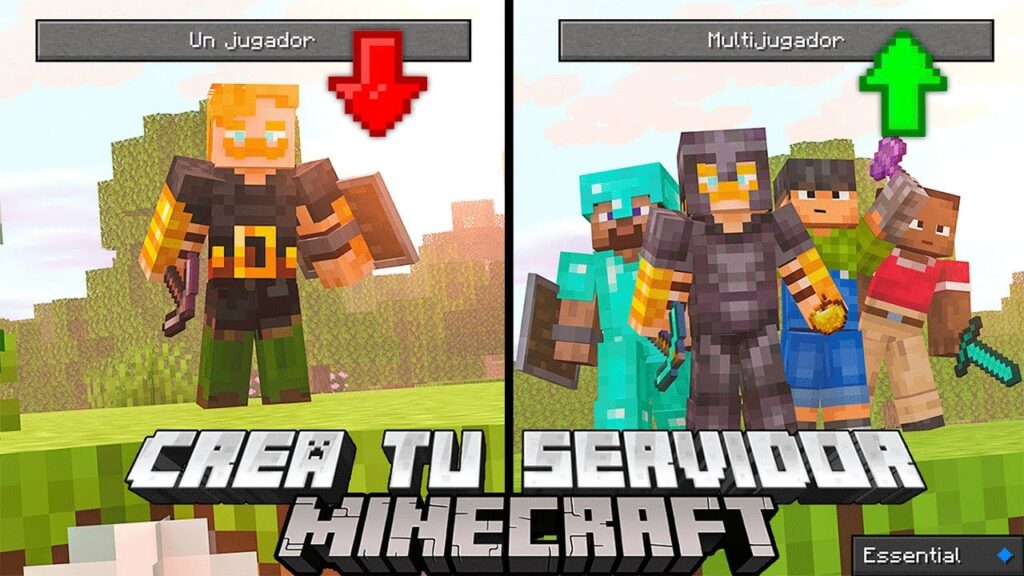
Minecraft is a global phenomenon that has captivated players of all ages with its ability to create, explore, and survive in block-based worlds. While the base game offers countless possibilities, the real magic begins when you delve into the world of mods , which offer new mechanics, content, and ways to play, especially in online multiplayer . Today, we'll explore the world of the best mods for playing Minecraft online , from essential options to optimize your experience to those that completely revolutionize how you enjoy the game with friends or on public servers.
Are you curious to know which mods are best for online play, how to install them on your server, and which ones make a real difference in terms of gameplay, PvP, co-op adventures, or simply having fun with friends? Here's a detailed guide covering everything you need to transform your multiplayer experience and get the most out of Minecraft online thanks to the huge variety of mods currently available.
What is a mod in Minecraft and why are they so popular?
A Minecraft mod is essentially a community-created modification that adds new features, changes existing mechanics, or introduces entirely original content to the game. Thanks to these mods , you can go from a traditional experience to something much richer: improved graphics, new biomes, advanced tools, magic systems, alternate dimensions, and even complete multiplayer role-playing games . All of this keeps Minecraft fresh and exciting, year after year.
The popularity of mods stems from their ability to reinvent Minecraft to suit the player's taste. And the best part is that if you play online , you can share these modified adventures with others, multiplying the fun and the amount of content to discover.
How to install mods and play online in Minecraft
Installing mods for online play requires following certain steps to ensure that you and your friends have the same settings and compatible versions. Here are the essential points:
- Choose the version of MinecraftMany mods are only compatible with specific versions. Make sure all players are using the same version of the game.
- Download a mod managerThe most popular ones are Forge and Fabric, platforms that facilitate the installation and management of mods.
- Install the desired mods in the folder of mods of your Minecraft installation. All players joining the game must have exactly the same mods installed.
- Create or hire a server support mods (modified server). Many hosting companies offer pre-installed options for popular mod packs.
- Follow the instructions for each modas some may require additional configurations or extra dependencies.
Playing online with mods may seem complex at first, but once you get started, you'll enjoy a completely new and shared experience with your friends.
Essential mods for any online Minecraft game
Some mods have become essential for improving performance, gameplay, and player cooperation. Here are the most recommended ones for any online world, whether you play on public or private servers:
- OptiFineThis mod improves the graphics and optimization of the game, allowing you to adjust advanced visual details, enable high-definition textures, and control the render distance. Furthermore, it facilitates a smoother experience, something especially appreciated by those playing on mid-range or low-end computers.
- Sodium: Ideal alternative to OptiFine for those who use FabricIt's perfect if you're looking to boost performance and reduce lag while maintaining high visual quality. It's compatible with a wide range of mods and doesn't compromise on graphics quality.
- JourneyMap: A mini map This interactive feature shows your real-time location and that of other players worldwide. It also allows you to view full maps in your browser, ideal for coordinating strategies, exploring, or simply not getting lost.
- Just Enough Items (JEI)It facilitates the management of inventory and crafting recipesIt will allow all your teammates to see what materials they need and how to create them, a significant advantage in games with complex mods.
- Iron Chests: Add chests of different capacities and materials (iron, gold, diamond, obsidian…), allowing you to store more objects and customize the organization on shared or community bases.
- Ender StorageIt allows you to create color-coded storage systems, accessible from anywhere in the world – or even across dimensions. It's a favorite mod in games where loot or strategic materials are shared.
With these mods , your online experience will be much more organized, comfortable and attractive, facilitating cooperation and group fun.
Expand your horizons: the best adventure and exploration mods for online gaming
If you love exploring new biomes, facing unknown creatures, or discovering hidden secrets with your friends, these mods will take your adventures to another level:
- Biomes O' Plenty: Add more than 80 unique biomes to the world of Minecraft, with unique vegetation, decorative blocks and landscapes that will make you never tire of exploring the environment.
- The Twilight Forest: Enter a Mysterious dimension Replete with magical biomes, dungeons, and unique bosses. Perfect for those seeking group challenges and an atmosphere completely different from the normal world.
- The Aether: Allows you to visit a celestial dimension Set in the sky, filled with floating islands, fantastic creatures, unique objects, and epic adventures.
- Epic Dungeons: A Roguelike Journey: Add endless dungeons with random generation, monsters, traps, and treasures that only the most prepared groups can conquer.
- Pixelmon Reforged: Merge the Pokémon universe with Minecraft, allowing capture, train and fight Featuring hundreds of online Pokémon. Includes gyms, tournaments, and all sorts of elements inspired by the franchise.
- The Lost CitiesTransform the world into a post-apocalyptic metropolis filled with abandoned skyscrapers, underground tunnels, and urban survival challenges.
Each of these mods enriches the online multiplayer experience, encouraging exploration, teamwork, and the possibility of being surprised in every game session.
The building and decoration mods that shine on servers
Creativity is the heart of Minecraft, and playing online multiplies the impact of your creations. Take advantage of these mods to create spectacular worlds with friends:
- Chisel RebornIt allows carving and transforming standard blocks into art formsachieving unique patterns and textures to personalize every last corner of your buildings.
- decocraftIt includes a huge catalog of furniture and decoration with which to furnish houses, gardens, and even create themed cities. Ideal for role-playing or creative servers.
- MrCrayfish's Furniture Mod: More than 440 functional blocks for the home and outdoors that make designing spaces much more realistic and fun.
- Macaw's Bridges: Introduce a wide variety of customizable bridges and styles to communicate map areas in a practical and aesthetic way.
- Chisel & Bits: It allows sculpting minute details in blocks and create sculptures, unique furniture and precision architectural elements.
With these mods , your online world will stand out for its originality and level of detail, and you can involve the entire community in joint projects.
Technology and automation mods for online servers
In online games, efficiency and automation become even more important. These mods allow you to develop everything from complex industrial systems to advanced digital storage networks:
- Applied Energistics 2It revolutionizes object storage, allowing you to save thousands of items in digital systems and access them from connected terminals. It also facilitates recipe automation and advanced energy management.
- Immersive Engineering: Enter industrial machinery Realistic and visually stunning, with generators, crushers and mixers powered by steam, electricity or water.
- Thermal ExpansionIt offers a wide variety of automated machines for crafting, refining, energy generation and storage, among other things.
- Ender IOIt stands out for its system of energy conduits and object transport, ideal for large multiplayer bases where each zone requires specific resources.
- Tech RebornIt expands the technological range, from solar panels to nuclear reactors and automated mining systems. It provides hundreds of machines that integrate with other technology mods.
These mods allow players to specialize in engineering and collaborate to create impressive infrastructures that benefit the entire group.
Magic and fantasy: ideal mods for group adventures
Magic is another attraction that gains strength in online games, especially if you want to surprise your friends with spells, mythical creatures and amazing dimensions:
- botany: Presents a magical system based on flowers and natureallowing you to perform rituals and create powerful artifacts with mana. Ideal for clans or groups interested in alchemy and mysticism.
- Blood Magic: Enter a Dark magic based on blood and life force. It allows for complex rituals, the creation of unique tools, and the unlocking of powers in exchange for sacrifices.
- Iron's Spells 'n Spellbooks: Add various spells and magic books that any player can combine to create custom effects, from attacking to teleporting or summoning creatures.
- Ars Nouveau: Offers a modular magic approach where you can design your own spells and enchantments, facilitating role-playing and innovation on magical servers.
- Ice and Fire: Dragons: Add dragons and mythical creatures with the ability to challenge, tame, or ride these legendary creatures. Perfect for online fantasy games.
These mods are especially recommended for players looking to form magic guilds, take on high-level cooperative challenges, or create unique stories in their shared worlds.
Best tool and weapon mods for competitive play
Combat in Minecraft can be exponentially improved thanks to mods that introduce new weapons, armor , and upgrade systems. On online servers, these mods enhance both competition and cooperation.
- PneumaticCraft: Repressurized: Provides a advanced pneumatic-based tooling and weaponry system, with customizable high-tech weapons and devices.
- Samurai Dynasty: Offers samurai content such as katanas, traditional armor and new materials, along with structures and elements of Japanese inspiration.
- Spartan WeaponryEnrich your arsenal with historical weapons such as spears, crossbows, halberds and much more, ideal for PvP games with diverse settings.
- Upgrade AquaticAdd new tools and weapons designed for underwater adventures, facilitating exploration and survival underwater.
- Simply Swords: Significantly expands the swords available, each with unique attributes and effects so you can customize your fighting style.
With these mods , each player can find the perfect weapon or tool for their role within the group, encouraging specialization and strategy in online play.
The social side: multiplayer and PvP mods
For those who enjoy competition , team strategy , and epic duels, there are mods specifically designed to make multiplayer a dynamic and intense experience:
- Factions: Allows you to create clans or factions that compete for control of territories. It includes systems of alliances, wars, and base protection, introducing a very attractive strategic layer.
- Mine and SlashTurn Minecraft into a ARPG With loot, skills, and hack-and-slash style progression. It favors both cooperative and competitive gameplay with deep mechanics.
- PvP Arena: Add customizable arenas where to organize tournaments, duels or team battles, allowing you to experiment with different styles and rules of play.
- SimpleClans: Power the clan creation and management within Minecraft, with skills, leaderboards, and exclusive activities to encourage competition and cooperation.
- Legendary Origins: Enter legendary creatures, epic weapons and missions designed for PvP and cooperative exploration, with rewards appropriate to the challenge.
With these options, online servers can be transformed into authentic competitive arenas, multiplayer role-playing experiences, or persistent worlds where cooperation and strategy make all the difference.
Additional tips for setting up a multiplayer modded server
Now that you know the essential mods for online gaming, it's crucial to keep in mind some practical tips to ensure your server runs optimally:
- Mod compatibilityNot all mods work well together, so before launching the server, test the configuration locally or use recommended modpacks.
- Allocate sufficient RAM and resources: The mods They can increase memory and processor usage. Choose a suitable hosting provider or allocate sufficient resources if you host the server on your own PC.
- Make regular backupsTo avoid losing progress due to errors, conflicting updates, or unforeseen failures.
- Update the mods and the server regularly.Keep everything up to date to avoid incompatibilities and take advantage of new features or security patches.
- Always inform your players about technical changes or mods. so that everyone is synchronized and enjoys the best experience.
Frequently asked questions about mods for playing Minecraft online
Can different mods be played on the same server?
No, All players must have exactly the same mods installed. and activated that the server, or they will not be able to connect correctly.
What do I do if a mod causes errors?
Always check the mod version, any dependencies it may require, and consult the forums or official documentation. Often, the issue is one of version compatibility or conflicting mods.
Are there legal or illegal mods?
Most mods are developed within the legal framework of Mojang/Microsoft, but it is always recommended to download them from official and secure sources to avoid risks.
What are the best sites to download mods?
The most reliable sites are CurseForge, Modrinth, and direct links from recognized creators. Always avoid unverified third-party sites.
Can I install mods on Realms servers?
Not currently Realms does not support modsTo play with mods you need a private server, either your own or rented, that supports them. modpacks personalized
Is it difficult to get started in the modded game?
It may seem that way at first, but there are many tutorials and forums, and with platforms like Forge, Fabric or Installing mods in Minecraft, the installation has been greatly simplified.
More and more players are enjoying new experiences thanks to these mods , which not only add content but also transform Minecraft into a game with virtually endless possibilities. Whether you want a cooperative adventure, to compete in PvP, to build impressive cities, or to create the server of your dreams, mods for playing online in Minecraft open up a universe of options at your fingertips.