- Android's Quick Share is now compatible with AirDrop, allowing you to share files directly between Pixel 10 and Apple devices.
- The feature requires an update to the Quick Share Extension and that the iPhone activates AirDrop in "Everyone for 10 minutes" mode.
- Google has developed this interoperability using standards such as Wi-Fi Aware, reverse engineering, and a strong focus on security with external audits.
- The company plans to expand compatibility to more Android phones, in a context of increased regulatory pressure for interoperability.
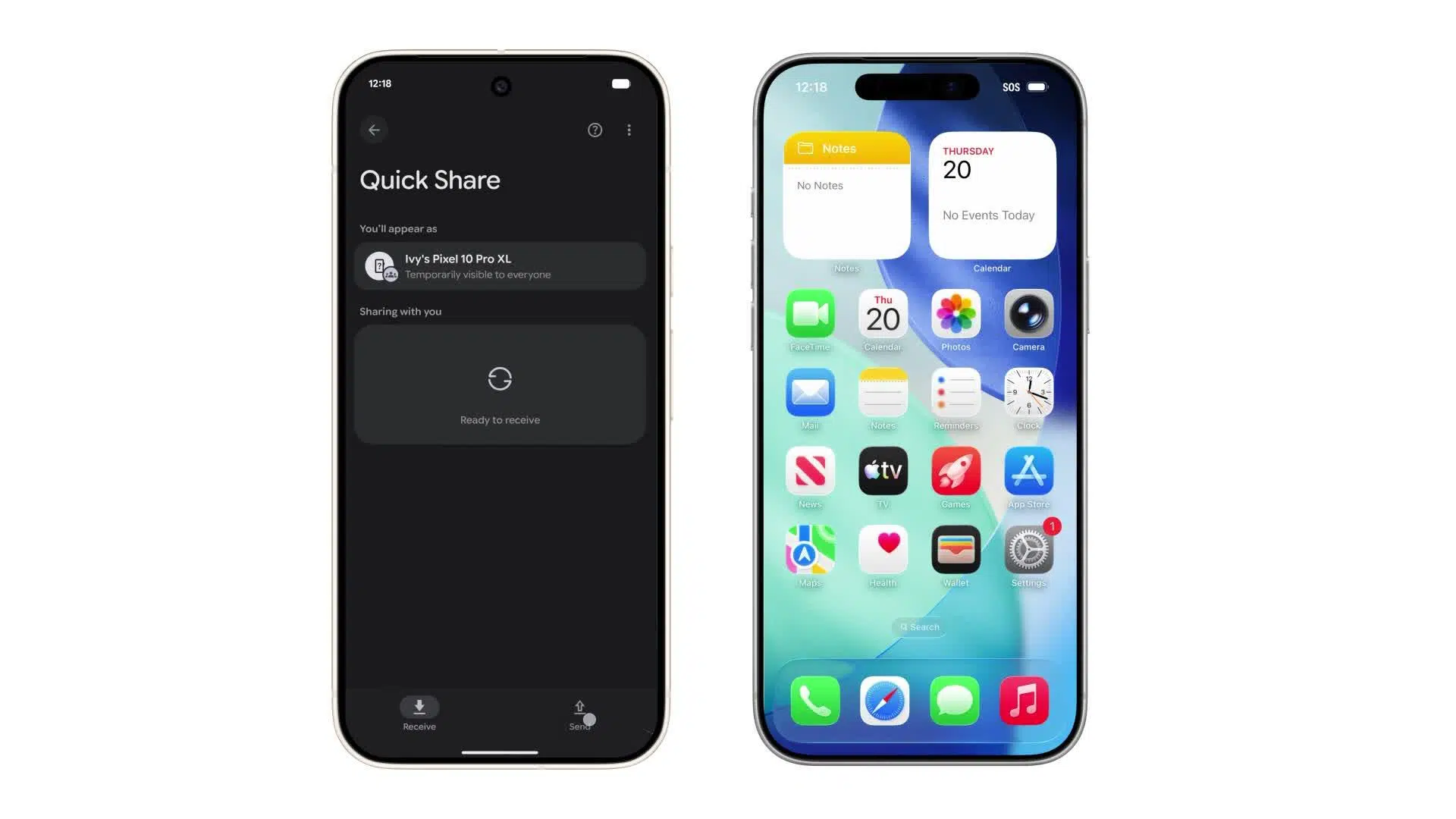
During years, Sharing files between Android and iPhone has been a bit of an ordeal.Cables, weird apps, links, cloud storage, and more than one WhatsApp group fight just to share some simple photos or Manage Android files from your PCThat barrier, which seemed eternal, is finally beginning to crack thanks to a key move by Google.
Now Quick Share on Android can talk directly to AirDrop on Apple devices.This means that an Android phone (currently a Pixel 10) can send photos, videos, or documents to an iPhone as if they were from the same ecosystem, and vice versa, without installing external applications or resorting to complicated tricks.
What is Quick Share and how does it now work with AirDrop?
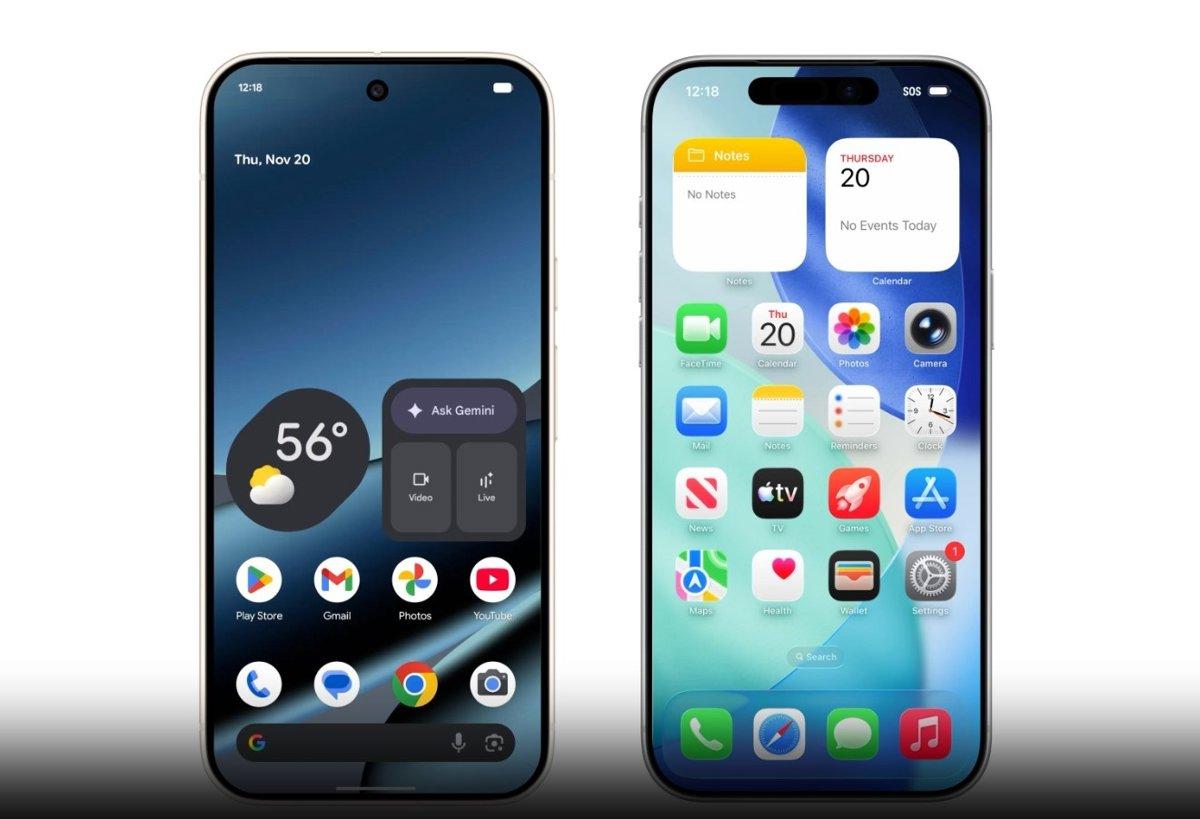
On Android, Quick Share is the native system for sending files quickly and directly between Android mobiles or between Android and Windows computers, using wireless connections such as Wi-Fi and Bluetooth without going through the cloud.
On the opposite side, AirDrop is Apple's built-in solution for sharing content. between iPhone, iPad, and Mac. Until very recently, both worlds operated separately: Quick Share for Android and AirDrop for the Apple ecosystem, with no official way for them to communicate with each other.
This changes with Google's new announcement: Quick Share becomes compatible with AirDrop without Apple's direct involvementIt is an integration that allows devices to be detected as valid receivers, opening a secure channel between Android and iOS.
Google explains that has developed this compatibility through its own technical implementation, which has been reviewed by its privacy and security teams and also subjected to penetration testing by a specialized external company.
Behind this new development there is also an important regulatory and technical context, in which pressure from the European Union and the use of standards such as Wi-Fi Aware and router features They play a key role in forcing systems to become more interoperable.
Availability: Which Android phones can use Quick Share with AirDrop
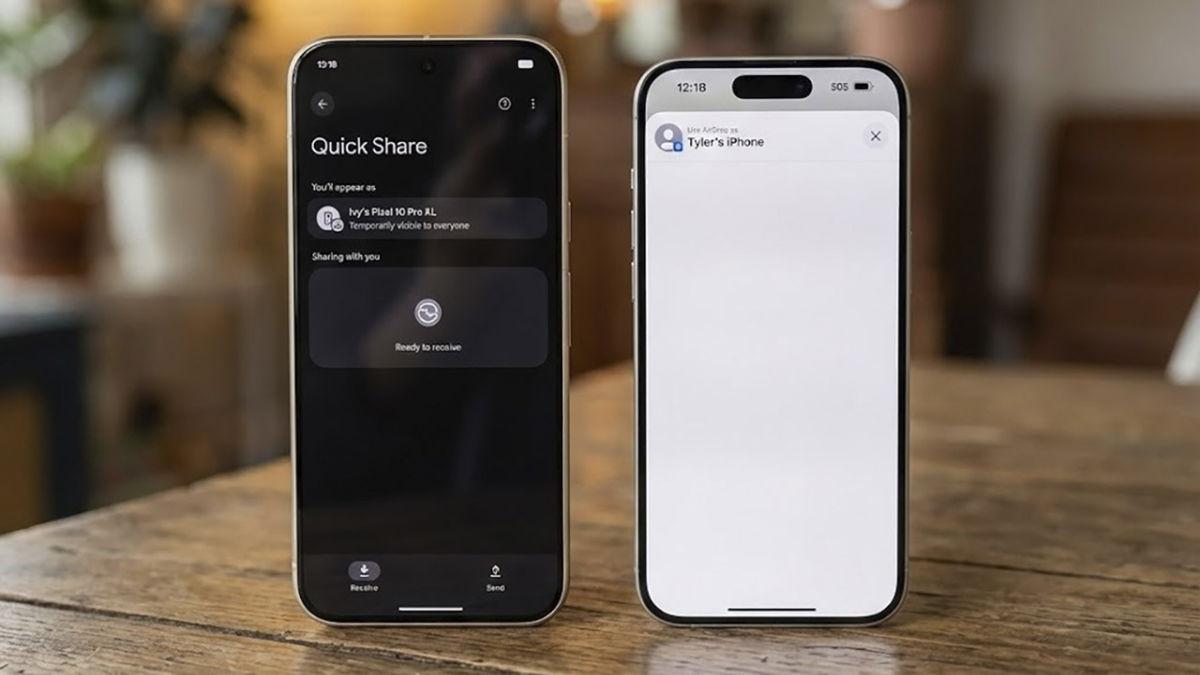
For now, Compatibility between Quick Share and AirDrop is limited to the Google Pixel 10 familyThat is, to Google's latest flagship devices in the Android ecosystem.
This includes models like the Pixel 10, Pixel 10 Pro, Pixel 10 Pro XL and Pixel 10 Pro Fold, who are the first to officially receive the feature through a Google Play system update.
The new feature doesn't come in the form of a major, complete Android update, but rather as an update to the Play system and, specifically, to the Quick Share extensionThis extension adds the ability to discover and communicate with Apple AirDrop devices.
Google has made it clear that The rollout is done gradually.Therefore, some users may receive it before others. Over the next few days and weeks, the update will roll out to all compatible Pixel 10 devices.
The company has also confirmed its intention to bring this experience to more Android devicesTechnically, any mobile phone with Android 8.0 or higher that is compatible with Wi-Fi Aware could be a candidate, although the major limitation comes from Apple and the iOS versions that are adopted.
The role of the European Union and network standards
This opening between Android and iOS It doesn't come from nothing, nor is it solely from Google's goodwill.The European Union's Digital Markets Act (DMA) has long been pushing tech giants to make their systems more interoperable.
Until recently, Apple relied on a proprietary protocol called Apple Wireless Direct Link (AWDL) to make AirDrop work between your own devices, without needing to use standards accessible to third parties.
The DMA has focused on these types of practices and, according to various sources, The EU would have forced Apple to adopt compatibility with the Wi-Fi Aware standard Starting with recent versions like iOS 26 and iPadOS 26, it makes it easier for other platforms to communicate with your devices.
For its part, Google states that It has achieved interoperability by reverse engineering Apple's technology, without direct involvement from the Cupertino company, and relying on modern technologies such as the Rust programming language to build the communication channel.
It is striking that, publicly, Google doesn't make too many direct references to the DMAfocusing more on the technical aspects of its implementation. This is probably due to its previous legal conflicts with this legislation, although in practice it is one of the biggest beneficiaries of European regulatory pressure.
How to send files from Android to iPhone using Quick Share
Once the function is active on the mobile device, Sending files from a Pixel 10 to an iPhone becomes almost as easy as sharing between two Android devices.provided the iPhone has AirDrop configured correctly.
The first is Make sure your Pixel 10 is up to date and has received the Quick Share extension through the Google Play Services system. If you don't see it, you can check for the update in your phone's settings under the system services section.
To start the shipment, you can open Android's quick settings and tap on Quick ShareOr use the Quick Share option that appears in the standard sharing menu when you choose a photo, video, or document.
After selecting the content, Quick Share will display a list of nearby devices available as a destination. This is where, thanks to the new compatibility, iPhones with AirDrop enabled will also begin to appear.
By tapping on the desired iPhone, The file is sent using a direct device-to-device channel., without going through external servers or intermediate clouds, and the iOS user will see an AirDrop notification to accept or reject the content.
iPhone configuration required to receive files
For everything to work smoothly, Having an updated Pixel 10 is not enough.It is also essential that the iPhone is configured in a very specific way with regard to AirDrop.
The key step in Apple's mobile is Activate AirDrop in "Everyone for 10 minutes" mode, an option that Apple introduced to improve privacy and prevent anyone from sending content indefinitely.
This setting can be changed by accessing to the AirDrop quick settings menu On iPhone: Swipe in from the top right corner to open Control Center and press and hold on the Connections panel until you see the AirDrop options.
Once “Everyone for 10 minutes” is activated, The iPhone becomes visible for Quick Share as just another recipient. The iPhone owner will see an AirDrop pop-up notification when the Pixel 10 sends something and will have to tap "Accept" to download it.
If the AirDrop setting is on “Contacts only” or turned off, The Android phone will not be able to detect the iPhone as an available device.That's why it's important to coordinate the shipment with the owner of the iOS device.
Share files from iPhone to Android using AirDrop and Quick Share
Interoperability is not one-way: You can also send files from an iPhone to a Pixel 10 taking advantage of this same integration between AirDrop and Quick Share.
From the iPhone, all you have to do is open the file you want to transfer (for example, a photo in the Photos app, a video, or a document in the Files app) and tap the share icon located at the bottom left of the screen.
In the sharing menu, select the AirDrop option as a delivery methodThis will cause the iPhone to start searching for nearby devices compatible with this system.
At the same time, on the Pixel 10 it is necessary to have Quick Share opened in the “Receive” tabso that it can advertise itself as a receiving device for the iPhone and appear as a destination in the AirDrop panel.
When the iPhone displays the Pixel 10 among the available devices, The iOS user simply has to tap on it to start the transferOn the Android mobile device, the file will appear in the "Sharing with you" section of Quick Share and the user must accept the receipt.
What types of files can be shared and where are they stored?
The integration between Quick Share and AirDrop It is not limited to individual photos: supports a variety of content types that are common in the daily life of any user.
From an Android mobile device with Quick Share support, You can select images, videos, audio clips, and documents stored on the device, as well as content accessible from Google Drive, Google Photos, or recent files; if you're going to share large videos, you can Compress videos on your mobile to save space and facilitate transfer.
In the case of shipments from iPhone, You can also share photos, videos, or files stored in the device's memory or in services linked to the Files app, as long as the content is compatible with the formats that Android recognizes.
Once the transfer is accepted, Items received on the iPhone are automatically stored in the usual locations, such as the Photos app for images and videos or the Downloads folder for other file types. On Android, you can password a folder to add an extra layer of security to the received files.
On the Pixel 10, content that arrives via Quick Share It first appears in the “Sharing with you” section and then it is saved in the corresponding folder or application, so that it can be managed just like any other system file.
Security and privacy: how Google protects these transfers
One of the points that Google emphasizes most is that This interoperability has been designed with security as a priority.precisely because it affects the direct exchange of files between rival platforms.
The communication channel between Quick Share and AirDrop It is developed using Rust, a modern programming language that reduces typical risks such as memory overflows and certain types of vulnerabilities that are very common in low-level systems.
Furthermore, the company emphasizes that Transfers are performed directly between devices, without going through Google or third-party servers, which minimizes the risk of content interception or recording of sensitive information.
Just like in AirDrop's native operation, Each shipment requires the explicit approval of the recipient.Nobody can fill your phone with files without you first accepting the corresponding notification, which greatly reduces spam and other malicious uses.
To further reinforce trust, Google hired NetSPI, an independent cybersecurity firmto conduct penetration tests and audits on this new integration. According to the published results, the solution exceeds the expected security controls for this type of service.
Quick Share Extension Update and Troubleshooting
If, despite all of the above, you still can't get your Pixel 10 to talk to an iPhone, The problem may be with the Quick Share extension. and not so much in the AirDrop settings.
Google has explained that, for compatibility between Quick Share and AirDrop to work, It is essential to have the Quick Share Extension installed., which is distributed through the Google Play Services update system.
If it doesn't arrive automatically, you can Install or update this extension from your phone's settings.By entering the Settings app, looking for the system services section and locating the available updates section.
Within that menu, the option should appear Quick Share Extension with an "Update" buttonUpon completion of this step, the system adds the necessary functionality to communicate with Apple devices using AirDrop.
In some cases, during the sharing process, The Wi-Fi connection may be temporarily disconnected While Quick Share prepares the direct transfer channel, Google itself clarifies that the network reconnects automatically when leaving the Quick Share screen.
What can we expect in the future regarding Android-iOS interoperability?
The fact that Google has achieved this without direct collaboration from Apple, relying on standards such as Wi-Fi Aware and reverse engineeringThis opens the door for us to see more similar advances in the coming years.
The company has already announced that One of its goals is to expand the list of compatible Android devices beyond the Pixel 10 family, as long as the hardware supports the technologies necessary for these direct connections.
For Apple, the big question mark is to what extent will it fully adopt interoperabilityGoogle has hinted that for the "Contacts Only" mode to work in AirDrop with Android phones, a more active involvement from the Cupertino company would be needed.
In parallel, this new development adds to other opening moves such as the expansion of the RCS standard in messaging or the alerts from unknown trackers that already work on both Android and iOS, marking a clear trend towards less isolated ecosystems.
In users' daily lives, these types of changes translate into less friction when sharing contentLess dependence on third-party apps and more freedom to mix devices from different brands without feeling trapped in a single system.
All this progress means that Sending photos, videos, or documents between Android and iPhone will no longer be an ordeal and become as normal as doing it between two mobile phones of the same system, with the peace of mind that the transfer is fast, direct and with well thought out security controls.